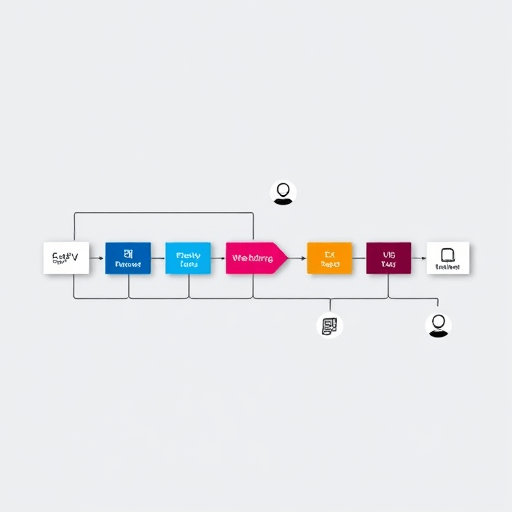
Quantum-Ready IDEs: Bridging Classical Development with Qubit Debugging – A Look at Tools That Enable Seamless Integration of Quantum Circuits into Everyday Coding Workflows
As quantum computing moves from laboratory experiments to cloud‑based service platforms, developers need tools that allow them to write, test, and debug quantum circuits alongside their classical code. Quantum-Ready IDEs are the bridge that connects the familiar territory of Python, Java, or C++ editors to the exotic world of qubits, gates, and noise models. In this article we explore the core features that make these IDEs truly quantum‑ready, showcase several leading options, and outline how they can be integrated into your daily coding routine.
Why Traditional IDEs Fall Short for Quantum Development
Conventional integrated development environments excel at managing syntax highlighting, refactoring, and version control for classical languages. However, they typically lack built‑in support for:
- Visualizing quantum circuits as gate matrices or tree diagrams.
- Simulating noisy quantum hardware or evaluating error mitigation strategies.
- Interfacing with quantum backends that expose qubit connectivity and error rates.
- Real‑time debugging tools that can step through quantum operations and inspect state vectors.
Consequently, many quantum programmers end up toggling between a classical editor and a separate notebook or command line interface, which disrupts workflow and increases cognitive load.
Core Features of a Truly Quantum-Ready IDE
1. Native Quantum Language Support
Whether you prefer Qiskit’s Python API, Cirq’s functional style, or Q#’s .NET integration, a quantum‑ready IDE should provide syntax highlighting, auto‑completion, and linting tailored to each quantum framework. This reduces boilerplate and allows developers to spot semantic errors early.
2. Circuit Visualizer & Editor
A drag‑and‑drop or text‑based circuit editor that renders gates, qubits, and measurement nodes in a graphical canvas is invaluable. Features such as gate decomposition, circuit folding, and automatic transpilation to backend‑specific layouts help users reason about circuit depth and connectivity.
3. Integrated Simulator & Noise Models
Simulators are the testbed for quantum logic. A quantum‑ready IDE should ship with high‑performance simulators (e.g., state‑vector, density matrix, or tensor‑network engines) and allow users to load custom noise models that mirror real devices. Quick‑run toggles and profiling dashboards help gauge algorithmic scalability.
4. Remote Execution & Backend Abstraction
Running code on cloud backends such as IBM Quantum, Rigetti Aspen, or IonQ’s trapped‑ion machines requires authentication, job queuing, and result polling. IDEs should abstract these details behind a unified API, enabling developers to switch between simulators and hardware with a single configuration change.
5. Debugger & State Inspector
Quantum debugging is fundamentally different from classical debugging. A quantum debugger should let you pause execution between gates, inspect the state vector, eigenvalues, or Bloch sphere representation, and optionally step through noise processes. Some IDEs also offer “quantum breakpoints” that trigger on specific qubit states.
6. Collaboration & Version Control Integration
Because quantum experiments often involve collaborative teams, IDEs should integrate smoothly with Git, GitHub, and CI pipelines. Features such as code reviews that understand quantum code, automated test suites, and artifact caching for simulation results streamline team workflows.
Top Quantum-Ready IDEs on the Market
1. Qiskit Lab (IBM Quantum Experience)
Qiskit Lab is a web‑based notebook environment that brings together Python coding, circuit visualization, and seamless access to IBM’s quantum hardware. Key highlights include:
- Real‑time feedback on circuit depth and qubit connectivity.
- Built‑in noise models for each backend.
- Integration with Qiskit’s transpiler pipeline.
- Automatic generation of “IBM Quantum Composer” diagrams for documentation.
While it is notebook‑centric, it supports VS Code extensions that allow local editing and remote execution, bridging the gap between classical IDEs and quantum resources.
2. Microsoft Quantum Development Kit (QDK) with Visual Studio Code
Microsoft’s QDK offers a powerful VS Code extension that brings Q# to the editor. Features include:
- IntelliSense and syntax checking for Q#.
- A “Quantum Playground” where you can instantly run experiments on local simulators or Azure Quantum backends.
- Built‑in debugger that supports state‑vector inspection and measurement stepping.
- Support for quantum error correction templates and libraries.
The QDK’s extensibility allows developers to plug in custom simulators or hardware providers, making it a flexible choice for hybrid research teams.
3. Cirq‑JupyterLab Integration
Google’s Cirq can be used in JupyterLab, which now offers a rich set of extensions:
- Circuit rendering via the Cirq CirqView extension.
- Direct connections to Google’s quantum processors (Sycamore).
- Support for custom transpilers and optimizers.
- Integration with Airflow for pipeline orchestration.
Although it remains notebook‑based, the JupyterLab UI provides a workspace that can host multiple notebooks, terminal windows, and data visualizations, emulating a traditional IDE environment.
4. Quantum Studio (IBM + Qiskit + VS Code)
Quantum Studio is IBM’s recent effort to package the Qiskit ecosystem into a native VS Code application. It bundles:
- Qiskit‑Python and Qiskit Aer simulators.
- Interactive circuit designer with drag‑and‑drop gates.
- Integrated hardware job submission and result viewer.
- Debugging tools that display intermediate state vectors.
Because it’s a native application, developers can benefit from standard VS Code features such as linting, Git integration, and extensions for other languages.
5. Quantum Development Environment by Xanadu (Xanadu SDK + PyCharm)
Xanadu’s Strawberry Fields SDK can be paired with PyCharm to provide a hybrid IDE experience. Highlights include:
- Graphical circuit editor for photonic circuits.
- Simulators that support continuous‑variable quantum computing.
- Seamless access to Xanadu’s quantum cloud.
- Python debugging integrated with PyCharm’s standard debugger.
This setup is especially useful for researchers exploring continuous‑variable algorithms or hybrid classical‑photonic models.
Integrating Quantum-Ready IDEs into Your Workflow
Start with a Hybrid Project Structure
Organize your repository with distinct folders for src/ (Python or Q# modules), tests/ (unit tests and circuit simulations), docs/ (markdown or literate programming files), and jobs/ (job submission scripts). This mirrors classical software engineering practices and keeps quantum and classical code separate yet accessible.
Automate Testing and Continuous Integration
Use a CI platform like GitHub Actions or GitLab CI to run your quantum simulations on every push. Include steps such as:
- Linting with
flake8orpylintfor classical code. - Circuit verification tests that compare expected vs. actual state vectors.
- Simulated noise injection to validate error mitigation routines.
- Job submission to a free tier quantum backend for integration tests.
Automated pipelines help catch regressions early and ensure that your quantum algorithms remain robust across hardware updates.
Leverage Remote Debugging Sessions
When debugging complex circuits, pause execution after a set of gates and inspect the qubit registers. Most quantum‑ready IDEs allow you to set breakpoints based on gate names or qubit indices. Coupled with a state‑vector inspector, you can observe amplitude collapses, interference patterns, or decoherence effects in real time.
Use Version Control to Track Circuit Evolution
Because quantum circuits can be sensitive to small gate permutations, commit changes incrementally and annotate commit messages with circuit design rationale. Tools like git diff can be augmented with visual diffs that highlight gate changes between revisions, making it easier to review circuit evolution.
Future Trends in Quantum-Ready IDEs
The quantum software stack is still maturing, and we anticipate several trends that will shape IDE capabilities over the next few years:
- Standardized Intermediate Representation (IR): Adoption of a language‑agnostic IR (e.g., OpenQASM 3.0 or Quil) will allow IDEs to translate across frameworks without losing fidelity.
- AI‑Assisted Quantum Code Generation: Machine‑learning models that suggest gate sequences or optimize transpilation will become integral to IDE toolkits.
- Hardware‑Aware Scheduling: IDEs will integrate real‑time hardware status dashboards, allowing developers to schedule jobs based on qubit availability and error rates.
- Edge‑Quantum Integration: As quantum processors move to edge devices, IDEs will support hybrid deployments that run classical code on CPUs and quantum kernels on local hardware.
- Standardized Debugging Protocols: New debugging protocols will standardize how state vectors, density matrices, and measurement outcomes are communicated between simulators and hardware.
By staying ahead of these developments, developers can future‑proof their quantum codebases and remain agile as the ecosystem evolves.
Conclusion
Quantum-Ready IDEs are no longer optional tools; they are essential bridges that allow developers to seamlessly weave quantum circuits into everyday coding workflows. Whether you choose IBM’s Qiskit Lab, Microsoft’s QDK, or a custom PyCharm setup with Strawberry Fields, the key is to leverage features such as native quantum language support, circuit visualization, integrated simulators, and advanced debugging. As quantum hardware matures and standards solidify, these IDEs will become the backbone of hybrid software engineering, empowering teams to write, test, and deploy quantum algorithms with the same confidence they use classical code today.
Ready to level up your quantum development? Dive into one of the highlighted IDEs, set up a sample project, and experience the power of seamless quantum-classical integration.