Releasing an indie title on the web and on mobile can feel like a daunting investment, but it doesn’t have to be. By focusing on the essentials and leveraging free or low‑cost tools, you can publish your game on itch.io and Google Play without breaking the bank. This guide walks you through every stage—from preparing assets to post‑launch support—so you can get your game in front of players worldwide while keeping expenses manageable.
Why Target Both Itch.io and Google Play?
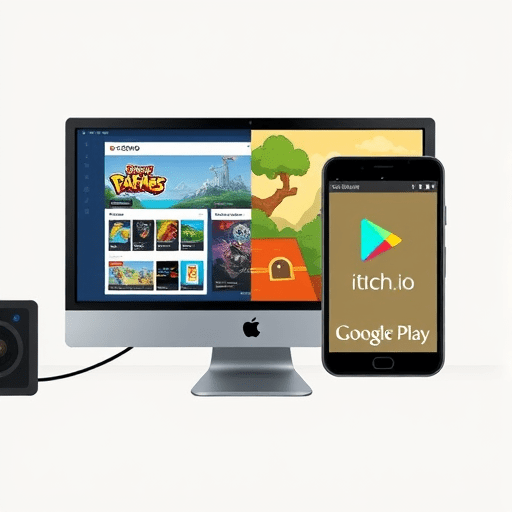
Itch.io is the go‑to marketplace for experimental, pixel‑art, and narrative‑heavy indie titles. It offers generous revenue splits, instant updates, and a community that loves discovery. Google Play, on the other hand, gives you access to the largest installed base of Android users worldwide. While Google Play requires a one‑time $25 developer registration fee, it also opens doors to ads, in‑app purchases, and a more structured monetization framework. By launching on both, you diversify your audience and create multiple income streams—all while using the same core codebase and art assets.
Getting Ready: Asset Checklist and Legal Basics
1. Consolidate Your Assets
- Graphics: Optimize sprite sheets and textures for both web and mobile sizes.
- Audio: Compress sound effects to 128 kbps and music to 64 kbps for smaller APKs.
- Code: Use a cross‑platform engine (Unity, Godot, or Phaser) to avoid re‑coding.
2. Secure Licenses
- Fonts: Verify open‑source or royalty‑free status.
- Music & Sound: Use royalty‑free libraries or create original tracks.
- Legal Pages: Draft a simple privacy policy and terms of service, especially for Google Play.
3. Prepare Metadata
Draft a compelling game description, keywords, and screenshots in advance. Having these ready will speed up both itch.io and Google Play submissions.
Setting Up Your Itch.io Storefront
Itch.io is almost free—there are no listing fees, and the revenue split is 70/30 in your favor. The setup process is straightforward:
- Create an account on itch.io if you haven’t already.
- Navigate to “Dashboard → Games → New Game” and fill in the basic info.
- Upload your build (a ZIP of your game’s executable, assets, and readme).
- Add your screenshots, video preview, and a short description.
- Configure the pricing: set a default price or let players pay what they want (PWYW).
- Publish and test the download link to ensure everything works.
Tip: Use itch.io’s “Downloads” feature to host the game file directly, saving the need for external hosting services.
Preparing Your Game for Android Release
Even if you’re already building for web, preparing an APK is usually a matter of a few configuration steps:
- Android SDK & Build Tools: Install the Android Studio SDK and command‑line tools.
- Gradle Build: Configure Gradle to produce an
.apkor.aab(Android App Bundle). - Sign the App: Create a free keystore with
keytooland sign the bundle. - Test on Real Devices: Use a handful of Android phones to ensure compatibility.
Most engines provide a one‑click export for Android, but double‑check that the minimum SDK level (currently 21) is set correctly to avoid exclusion of older devices.
Publishing to Google Play on a Budget
Google Play’s developer console charges a single $25 fee. Once paid, you can publish unlimited apps. The process is more involved than itch.io, but still manageable if you follow these steps:
- Create a Developer Account: Sign in to Google Play Console and pay the $25 fee.
- Set Up Your Store Listing:
- Title, short description, full description.
- High‑resolution icon (512×512) and feature graphic (1024×500).
- Screenshots for each device category (phone, tablet, 10”).
- Upload Your APK/AAB: Use the “App releases” tab, choose a release track (internal, closed, open), and upload.
- Configure Pricing & Distribution: Set the price (free or paid), and select countries.
- Publish: After a quick review (which usually takes less than 24 hrs), your app is live.
To keep costs low, avoid premium graphics or paid marketing within Google Play. Instead, focus on a solid launch strategy on other platforms and social channels.
Cross‑Platform Promotion on a Shoestring
Once your game is available, the real work begins: getting players to find it. Below are cost‑effective promotion tactics that work across itch.io and Google Play.
1. Leverage Community Platforms
- Reddit: Post in r/gaming, r/IndieDev, and subreddits relevant to your genre.
- Discord: Join indie dev servers and showcase your launch.
- Game Jams: Submit a polished version to a jam for exposure.
2. Use Social Media Smartly
- Twitter: Share short clips, dev updates, and user screenshots.
- Instagram Reels & TikTok: Create 15‑second gameplay teasers.
- Cross‑post the same content on multiple platforms to maximize reach.
3. Engage with Reviewers and Streamers
Identify micro‑influencers who focus on indie titles. A single review can bring in dozens of players. Offer them a free copy and a short Q&A session.
4. Release a Demo or Early Access
Providing a free, limited version can spark interest without full monetization upfront. It also gathers feedback that can be incorporated into the final release.
Monetization Choices That Keep Costs Low
Choosing the right monetization model can save you from unnecessary spending on ads or store fees.
1. Paid Download on Itch.io
Set a modest price ($1–$5) and let players decide how much to pay. This model bypasses app store commission entirely.
2. Ad‑Supported Android Version
Integrate a free ad network like AdMob or Unity Ads. Ads generate revenue without charging players, keeping your entry barrier low.
3. In‑App Purchases (IAP)
Offer cosmetic items or extra content. Since Google Play takes a 15% commission after the first $1 M of revenue, the cut is minimal compared to other platforms.
4. Hybrid Model
Combine a paid download on itch.io with an ad‑supported Android version. This dual approach maximizes reach while balancing revenue streams.
Post‑Launch Maintenance Without Breaking the Bank
A game’s lifecycle extends far beyond launch. Ongoing maintenance can be costly if you’re not careful.
1. Use Cloud Services Wisely
Services like Firebase or Supabase offer free tiers for analytics, leaderboards, and real‑time messaging—perfect for indie budgets.
2. Community Feedback Loop
Collect bug reports through GitHub issues or a dedicated Discord channel. Prioritize fixes based on impact, not resource intensity.
3. Incremental Updates
Release small, weekly patches instead of a massive overhaul. This keeps players engaged and reduces development time.
4. Leverage Free Tools for Asset Creation
Use GIMP for graphics, Audacity for audio, and Inkscape for UI elements. These open‑source tools eliminate licensing costs.
5. Optimize Store Listings Post‑Launch
Update screenshots and descriptions based on player feedback and trending keywords. Google Play’s “Store Listing Experiments” feature is free and can improve visibility.
By following these practices, you’ll maintain your game’s relevance without draining your finances.
Conclusion
Launching an indie game on both itch.io and Google Play doesn’t require a deep pocket—just a clear plan and a willingness to maximize free resources. With a solid asset pipeline, a minimalistic approach to monetization, and smart cross‑platform promotion, you can bring your game to a wide audience while keeping costs under control. The key is to focus on what matters most: quality gameplay, engaging storytelling, and an active community. When you combine those elements with the steps outlined above, you’ll be well on your way to a successful, budget‑friendly launch in 2026.