
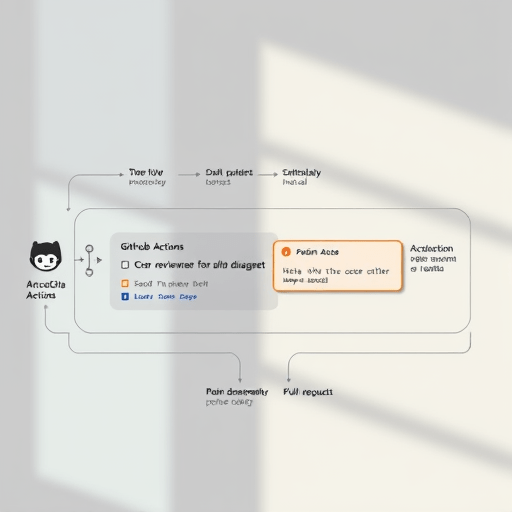
In a world where code velocity and quality must coexist, integrating an AI code review bot directly into GitHub Actions has become a game‑changer. By configuring Copilot reviews alongside automated linting in your CI pipeline, every push and pull request receives instant, actionable feedback—catching bugs before they reach production and reducing the time developers spend chasing subtle regressions. This article walks you through a fresh 2026‑ready approach to setting up that bot, optimizing its output, and ensuring it blends smoothly with your existing workflow.
Why an AI Code Review Bot Matters in Modern CI/CD
Traditional linters flag syntax errors and style violations, but they miss deeper architectural issues, security flaws, or performance regressions. AI‑powered review bots bring contextual intelligence: they analyze code intent, reference large codebases, and learn from your own commits. The result is a reviewer that understands your domain and can surface nuanced suggestions that a static linter would overlook. Coupled with GitHub Actions, this intelligence becomes part of the continuous delivery pipeline, providing real‑time diagnostics and freeing human reviewers to focus on high‑impact problems.
Preparing Your Repository for Copilot Reviews
Updating Dependencies and GitHub Secrets
Before you create the workflow file, ensure your repository contains the latest Copilot and linting extensions. Add the github/copilot and github/linters actions to your requirements.txt or package.json as needed. Next, generate a GitHub App that grants the action permission to read and write comments on pull requests. Store the resulting private key in a repository secret named COPILOT_APP_KEY.
Crafting a Robust .github/workflows/ai-review.yml
The workflow file orchestrates the sequence: install dependencies, run linting, trigger Copilot, and handle feedback. Here’s a concise skeleton to start from:
name: AI Code Review

on:
  pull_request:
    types: [opened, synchronize, reopened]

jobs:
  ai_review:
    runs-on: ubuntu-latest
    steps:
      - uses: actions/checkout@v4
      - name: Set up Node.js
        uses: actions/setup-node@v4
        with:
          node-version: 20
      - name: Install dependencies
        run: npm ci
      - name: Run linting
        run: npm run lint
      - name: Run Copilot Review
        uses: github/copilot@v1
        with:
          key: ${{ secrets.COPILOT_APP_KEY }}
          comment-on-pr: true
          # Additional configuration below
Notice the comment-on-pr: true flag—this ensures that Copilot’s suggestions appear directly in the pull request thread.
Configuring Copilot and Linting Tools
Choosing the Right Linting Framework for Your Stack
While Copilot can identify many issues, a solid linter remains the first line of defense. For JavaScript/TypeScript, ESLint paired with prettier enforces style and detects trivial bugs. For Python, ruff combines linting and formatting, offering a lightweight yet powerful solution. In 2026, many teams also adopt SonarQube as an advanced static analysis tool, integrating its scan results into the GitHub Actions workflow via the SonarCloud action.
Embedding Copilot Review Steps
Copilot reviews are driven by a prompt that tells the model what to look for. A well‑crafted prompt can dramatically reduce noise. Example prompt snippet:
prompt: |
  Review the following pull request for:
  1. Security vulnerabilities (e.g., SQL injection, XSS)
  2. Performance bottlenecks (e.g., unnecessary loops)
  3. Best practice deviations (e.g., magic numbers)
  4. Documentation gaps
  Please comment inline with suggestions and reference relevant code lines.
Insert this prompt into the Copilot action configuration. You can also enable auto-merge if the review passes all thresholds, streamlining the deployment pipeline.
Handling Review Feedback in Pull Requests
Automating Commenting and Labeling
When Copilot generates a comment, you may want to tag the pull request for quick visibility. Use the actions/github-script action to add a label like needs-ai-review when comments are posted. Here’s a short script:
name: Label AI Reviews
uses: actions/github-script@v6
with:
  script: |
    const comment = context.payload.comment.body;
    if (comment.includes('Copilot')) {
      github.issues.addLabels({
        owner: context.repo.owner,
        repo: context.repo.repo,
        issue_number: context.issue.number,
        labels: ['needs-ai-review']
      });
    }
This automation ensures that reviewers can quickly spot AI‑flagged issues.
Escalating Complex Issues to Human Reviewers
Not every suggestion deserves automated merging. Implement a threshold field in the Copilot configuration—if the review finds more than, say, five critical issues, the action fails the build and a manual approval gate appears. Combine this with the auto-merge flag to create a safety net: only automatically merge when the review score is below the threshold and all required checks have passed.
Optimizing Performance and Reducing Noise
Fine‑Tuning Copilot Prompts
Prompt engineering is a critical lever. Instead of a generic “review for bugs,” tailor the prompt to your codebase: reference the domain, mention common patterns, and ask for specific types of feedback. For example, a financial services repo might include “focus on handling null inputs and concurrency safety.” The more context the model has, the fewer generic or irrelevant comments it will produce.
Managing Thresholds and Review Frequency
AI models consume compute resources; running them on every pull request can be expensive. Mitigate this by:
- Triggering on large PRs only: Use
if: ${{ github.event.pull_request.commits > 5 }}to skip tiny changes. - Running on a schedule: Combine with a daily nightly run that re‑examines merged PRs for post‑commit issues.
- Batching reviews: For monorepos, run a single Copilot review per service instead of per file.
These tactics reduce latency and cost while keeping the feedback loop tight.
Common Pitfalls and How to Avoid Them
- Overreliance on AI: Treat AI suggestions as guidance, not gospel. Pair them with human oversight for critical sections.
- Inconsistent linting: Keep lint rules locked in
package-lock.jsonoryarn.lockso the CI environment matches local dev machines. - Missing secrets: A forgotten GitHub App key will cause the workflow to fail silently. Verify secrets with
envsteps before invoking the Copilot action. - Label fatigue: Too many labels clutter the UI. Consolidate similar labels into a single umbrella tag.
Future‑Proofing Your AI Review Pipeline
2026 brings advances in multimodal AI that can analyze code alongside documentation, tests, and CI logs. Future integrations may include:
- Dynamic prompt generation: Models that read your PR description and auto‑populate the review prompt.
- Feedback loops: AI that learns from human reviewers’ acceptance or rejection of its suggestions.
- Cross‑repo analysis: Detect patterns that span multiple repositories, flagging systemic issues early.
By building your workflow with modularity—separating linting, AI review, and post‑merge steps—you’ll be ready to drop in new AI services as they emerge, keeping your code quality pipeline at the cutting edge.
Conclusion
Integrating an AI code review bot into GitHub Actions elevates the quality assurance process from reactive linting to proactive, context‑aware diagnostics. By carefully configuring prompts, managing thresholds, and automating feedback handling, teams can detect bugs instantly, reduce merge times, and free developers to tackle higher‑value tasks. As AI models grow more sophisticated, the synergy between Copilot reviews, linters, and CI workflows will become an indispensable component of modern software delivery pipelines.


