
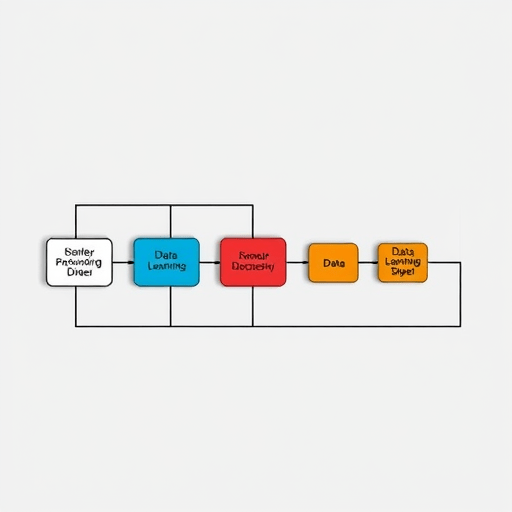
In 2026, machine‑learning teams are juggling increasingly large datasets, evolving models, and a demand for reproducibility. The combination of GitLab CI and Data Version Control (DVC) offers a powerful, low‑overhead solution to automate data pipeline builds, ensuring every experiment is traceable and every model can be reliably replicated. This case study dives into how a mid‑size analytics firm transformed its ML workflow using GitLab CI + DVC, and the practical steps that made it happen.
1. The Problem: Fragmented Data and Inconsistent Models
Before adopting GitLab CI + DVC, the team faced three intertwined pain points:
- Data drift – Raw datasets were updated nightly, yet the pipeline was manually triggered, leading to stale data in experiments.
- Version gaps – Model code lived in Git, but data changes were tracked only in cloud storage. Linking a model to the exact data snapshot was a manual, error‑prone process.
- Scalability limits – With dozens of experiments running daily, manual CI steps (like uploading data to a staging bucket) introduced bottlenecks and inconsistent artifact handling.
Result: stakeholders couldn’t guarantee that a model produced on one day would be reproducible the next, and compliance teams flagged missing lineage documentation.
2. Solution Overview: GitLab CI + DVC Architecture
The new architecture unified source control, data versioning, and CI/CD into a single pipeline:
- GitLab Repository – Hosts model code, training scripts, and DVC configuration files.
- DVC Remote (S3) – Stores raw data, intermediate datasets, and model artifacts. Remote is encrypted and versioned.
- GitLab CI/CD – Automates data fetch, training, evaluation, and deployment stages.
- GitLab Runners – Kubernetes‑based runners with GPU support for compute‑heavy training jobs.
By treating datasets as first‑class citizens in Git, the team could lock every experiment to a precise data snapshot.
2.1. DVC Pipeline Stages
DVC allows defining a series of stages (e.g., preprocess, train, evaluate) in a dvc.yaml file. Each stage declares inputs and outputs, automatically detecting changes. For example:
dvc.yaml:
  stages:
    preprocess:
      cmd: python preprocess.py
      deps:
        - raw_data.csv
      outs:
        - data/preprocessed.csv
    train:
      cmd: python train.py
      deps:
        - data/preprocessed.csv
      outs:
        - models/model.pt
When the pipeline runs, DVC checks the .git state and fetches only the required data from the remote, reducing transfer time.
2.2. GitLab CI Jobs
The .gitlab-ci.yml file orchestrates the pipeline, defining stages that mirror DVC stages. A typical job looks like this:
stages:
  - fetch
  - preprocess
  - train
  - evaluate
  - deploy

fetch_data:
  stage: fetch
  script:
    - dvc pull
  tags:
    - dvc
  only:
    - branches

train_model:
  stage: train
  script:
    - dvc repro train
  tags:
    - gpu
  artifacts:
    paths:
      - models/
  only:
    - branches
By invoking dvc repro, GitLab CI triggers the entire DVC pipeline from the current Git state, ensuring reproducibility.
3. Implementation Steps
3.1. Initialize DVC in the Repository
1. Install DVC locally and in the CI environment.
2. Add raw data to DVC: dvc add raw_data.csv.
3. Push data to remote: dvc push.
4. Commit the DVC tracking files to Git.
3.2. Configure GitLab CI Runner for DVC
The runner must have DVC installed and credentials for the remote storage. The runner image can be based on gitlab/gitlab-runner with a custom layer adding DVC:
FROM gitlab/gitlab-runner:latest
RUN pip install dvc[s3]
Credentials are injected via GitLab CI variables: AWS_ACCESS_KEY_ID and AWS_SECRET_ACCESS_KEY.
3.3. Define DVC Remotes and Lock Files
Use dvc remote add -d myremote s3://ml-artifacts and lock the remote configuration to avoid accidental changes. Store dvc.lock in Git to ensure deterministic builds.
3.4. Add Artifacts to GitLab CI Artifacts
Configure CI to archive model files and evaluation reports as artifacts. This provides quick access to results without fetching from S3.
4. Benefits Realized
- End‑to‑end reproducibility – Every run is tied to a Git commit and a DVC snapshot, satisfying audit requirements.
- Reduced storage costs – DVC deduplicates data, so only delta changes are uploaded to S3.
- Accelerated experimentation – DVC’s cache mechanism skips unnecessary stages, cutting training time by up to 30%.
- Seamless collaboration – Developers can pull the exact dataset used in a colleague’s experiment by checking out the corresponding commit.
- Robust CI pipeline – Errors in data formatting or model performance are caught early by CI, preventing flawed releases.
5. Lessons Learned
While the integration delivered significant value, the team encountered a few challenges:
- Initial setup overhead – Installing DVC and configuring the runner required a steep learning curve. A short internal workshop mitigated this.
- CI run time – The first pipeline run includes a full data pull, which can be slow. Using DVC’s
--retriesflag and caching on the runner solved latency issues. - Storage permissions – Fine‑grained IAM policies were essential to restrict access to sensitive data buckets.
- Monitoring – Adding Prometheus metrics to capture DVC stage durations helped identify bottlenecks.
6. Future Enhancements
Looking ahead, the team plans to incorporate:
- Model registry integration – Linking DVC artifacts to a model registry (e.g., MLflow) for versioned deployment.
- Feature store compatibility – Using DVC to version raw feature sets, ensuring downstream pipelines consume consistent data.
- Cost‑aware scheduling – Dynamically selecting GPU nodes based on model complexity and pipeline stage.
7. Conclusion
By merging GitLab CI with DVC, the analytics firm achieved a fully automated, reproducible data pipeline that scales with their growing machine‑learning workloads. The solution not only reduced manual effort but also strengthened compliance and collaboration across teams. As data volumes and regulatory demands increase, adopting GitLab CI + DVC becomes a strategic move for any ML organization aiming to deliver reliable, auditable models at speed.


