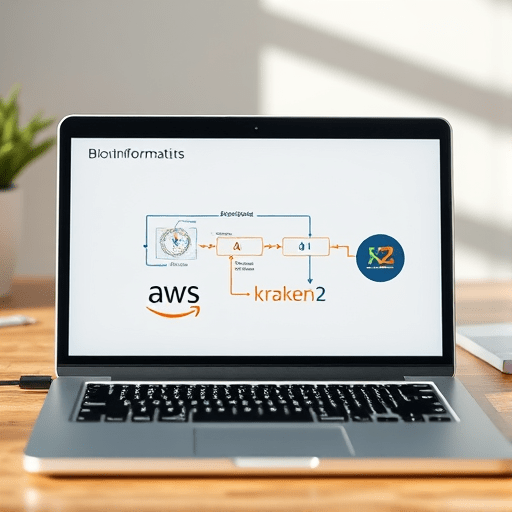
Clinical microbiology demands rapid, accurate identification of pathogens from complex samples. In 2026, a cloud‑based metagenomic assembly pipeline for clinical microbiology leverages Amazon Web Services (AWS) and Kraken2 to deliver a complete analysis in under two hours. This step‑by‑step guide shows how to configure an AWS environment, run an assembly workflow, and interpret results, all while maintaining compliance with clinical data regulations.
Why a Cloud‑Based Solution?
Traditional on‑premise bioinformatics setups struggle with the data volumes generated by next‑generation sequencing (NGS). Cloud platforms offer:
- Elastic compute power that scales with sequencing depth.
- Managed storage and backup, reducing local hardware costs.
- Integrated security controls that can be aligned with HIPAA and GDPR.
- Pre‑built machine images that cut down deployment time to minutes.
For clinical labs, time is money—and patient outcomes—so a 2‑hour turnaround is a competitive advantage.
Prerequisites
Before beginning, ensure you have:
- Access to an AWS account with administrative permissions.
- An AWS Identity and Access Management (IAM) policy that allows EC2, S3, and CloudWatch usage.
- A FASTQ file or paired‑end FASTQ files from your sequencer.
- Basic familiarity with the Linux command line.
Step 1: Create an S3 Bucket for Raw Data
Using the AWS Management Console or the AWS CLI, create a bucket dedicated to your sequencing data:
aws s3 mb s3://clinical-microbiology-raw-data
aws s3 cp your_sample_R1.fastq.gz s3://clinical-microbiology-raw-data/
aws s3 cp your_sample_R2.fastq.gz s3://clinical-microbiology-raw-data/
Apply a bucket policy that restricts access to a specific IAM group and enables server‑side encryption (SSE‑S3). This ensures data remains confidential during transfer.
Step 2: Launch an EC2 Instance with the Bioinformatics AMI
AWS Marketplace hosts a Bioinformatics AWS Deep Learning AMI that includes Docker, Conda, and pre‑installed Kraken2. Spin up an instance with at least 64 vCPU and 256 GB RAM to handle a typical 5 Gb sample:
- Instance type: c6i.8xlarge
- VPC: your lab’s dedicated VPC with an appropriate security group (allow SSH, outbound HTTPS).
- IAM role: attach the previously created policy.
After launch, SSH into the instance:
ssh -i /path/to/key.pem ec2-user@instance-public-dns
Step 3: Set Up the Analysis Workspace
Within the instance, create a workspace and pull the necessary containers:
mkdir -p ~/metagenomics/workspace
cd ~/metagenomics/workspace
docker pull biocontainers/kraken2:latest
docker pull biocontainers/assembly:latest
Store the assembly reference database (e.g., RefSeq bacterial genomes) in S3, then download it to the instance, leveraging AWS S3 Transfer Acceleration for speed:
aws s3 cp s3://clinical-microbiology-db/refseq_db.tar.gz .
tar -xzf refseq_db.tar.gz
Step 4: Quality Control with FastQC
Run FastQC to assess read quality. If adapters or low‑quality tails are detected, trim them with Trimmomatic:
docker run --rm -v $(pwd):/data biocontainers/fastqc:latest fastqc /data/your_sample_R1.fastq.gz /data/your_sample_R2.fastq.gz
docker run --rm -v $(pwd):/data biocontainers/trimmomatic:latest trimmomatic PE \
  /data/your_sample_R1.fastq.gz /data/your_sample_R2.fastq.gz \
  /data/trimmed_R1_paired.fastq.gz /data/trimmed_R1_unpaired.fastq.gz \
  /data/trimmed_R2_paired.fastq.gz /data/trimmed_R2_unpaired.fastq.gz \
  ILLUMINACLIP:adapters.fa:2:30:10 LEADING:3 TRAILING:3 SLIDINGWINDOW:4:20 MINLEN:50
Step 5: Metagenomic Assembly with MEGAHIT
MEGAHIT is optimized for large metagenomic datasets. Run it inside a Docker container for reproducibility:
docker run --rm -v $(pwd):/data biocontainers/megahit:latest megahit \
  -1 /data/trimmed_R1_paired.fastq.gz \
  -2 /data/trimmed_R2_paired.fastq.gz \
  -o /data/assembly_output \
  --presets meta-sensitive
The assembly output will contain a FASTA file of contigs (final.contigs.fa) and a log file. MEGAHIT typically finishes within 45 minutes for a 5 Gb sample on a c6i.8xlarge instance.
Step 6: Taxonomic Classification with Kraken2
Kraken2 classifies reads or contigs by matching k‑mers to a database. Build a custom database if you need higher specificity:
docker run --rm -v $(pwd):/data biocontainers/kraken2:latest \
  kraken2-build --download-taxonomy --db /data/kraken_db
docker run --rm -v $(pwd):/data biocontainers/kraken2:latest \
  kraken2-build --add-to-library /data/assembly_output/final.contigs.fa --db /data/kraken_db
docker run --rm -v $(pwd):/data biocontainers/kraken2:latest \
  kraken2 --db /data/kraken_db \
  --threads 32 \
  --use-names \
  --report /data/kraken_report.txt \
  /data/assembly_output/final.contigs.fa
The report provides a ranked list of taxa, counts, and relative abundance. Parsing this report is straightforward with a small Python script or with kraken2-commander if you prefer an interactive interface.
Step 7: Post‑Processing and Visualization
Convert the Kraken2 report into a tidy CSV for downstream analysis. A simple shell pipeline works:
awk -F'\t' '{print $3","$4","$5}' kraken_report.txt > taxa_abundance.csv
Upload the CSV to a cloud storage bucket and visualize it with tools such as Plotly Dash or Microreact. For rapid reporting, generate a static HTML report with krona:
docker run --rm -v $(pwd):/data biocontainers/krona:latest \
  ktImportTaxonomy /data/kraken_report.txt /data/krona_report.html
Step 8: Automating the Pipeline with AWS Batch
To process multiple samples simultaneously, wrap each step in an AWS Batch job definition. Define an image that contains all necessary containers, then submit jobs via a simple Python script that reads sample metadata from an S3 CSV. AWS Batch handles instance provisioning, scaling, and retries automatically.
Step 9: Compliance and Audit Trail
Clinical data must be auditable. Enable CloudTrail logging for all S3 and EC2 actions. Store logs in an immutable S3 bucket with Lifecycle rules that transition to Glacier after 90 days. Additionally, tag all resources with Project=Metagenomics and Compliance=HIPAA to enforce tagging policies.
Step 10: Cleanup and Cost Control
After analysis, terminate the EC2 instance and delete temporary files. Use S3 Lifecycle policies to delete raw reads older than 30 days if no longer needed. Consider using Spot Instances for cost savings, ensuring your pipeline tolerates interruptions via checkpointing.
Monitoring Performance
Set up CloudWatch Alarms to notify you if CPU usage drops below 30% for more than 15 minutes—an indication that the instance may be over‑provisioned. Alternatively, enable AWS Cost Explorer to visualize spending by pipeline step.
Frequently Asked Questions
- Can I use a GPU instance? GPU instances are overkill for assembly and Kraken2, which are CPU‑bound. However, if you plan to run deep learning models for pathogen detection, consider
p4d.24xlarge. - What about real‑time analysis? For samples that require immediate results, consider a hybrid approach: pre‑assemble on the cloud, then use
CentrifugeorMetaPhlAnfor rapid taxonomic profiling. - How do I handle antibiotic resistance gene detection? After Kraken2, run
abricateon the assembled contigs to screen for known resistance determinants.
Internal Link Placeholder
Conclusion
By orchestrating an AWS‑hosted pipeline that couples MEGAHIT assembly with Kraken2 classification, clinical microbiology labs can achieve a 2‑hour turnaround from raw FASTQ to actionable taxonomic insights. The modular design allows labs to swap components—such as switching to MetaSPAdes for assembly or Bracken for abundance estimation—without disrupting the overall workflow. With careful cost management and audit controls, this cloud‑based solution provides a scalable, compliant, and rapid approach to metagenomic diagnostics.