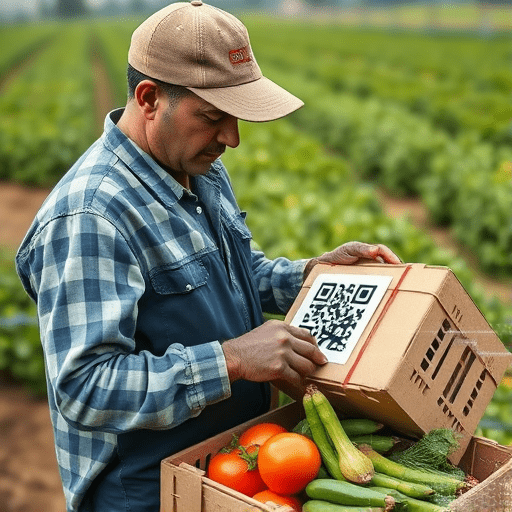
Small retailers face a constant challenge: keeping the right amount of stock on hand without over-ordering and causing waste. AI-powered inventory forecasting turns this balancing act into a data-driven advantage. By leveraging machine learning, you can predict demand with greater accuracy, reduce excess inventory, and free up capital. This guide walks you through each phase—data collection, preprocessing, feature engineering, model training, validation, and deployment—so you can build a forecasting model tailored to your store’s unique needs.
1. Define Your Forecasting Objectives
Before writing a single line of code, clarify what you want to achieve. Typical goals for a small retailer include:
- Reduce stock-outs by 30 %
- Lower carrying costs by 20 %
- Improve order fulfillment accuracy to 95 %
- Generate a weekly or monthly sales forecast that aligns with supplier lead times
Setting specific, measurable objectives helps you select the right metrics—mean absolute error (MAE), root mean squared error (RMSE), or inventory turnover—to evaluate model performance later on.
2. Gather and Consolidate Your Data
AI models need clean, relevant data. For a small retailer, the most valuable data sources are:
- Point‑of‑Sale (POS) System: daily sales, product SKUs, prices, promotions.
- Inventory Management System: current stock levels, reorder points, supplier lead times.
- External Factors: local events, holidays, weather, competitor activity.
- Historical Records: past sales cycles, stockouts, and markdowns.
Export these datasets into CSV or JSON files. If your store uses a cloud POS like Square or Shopify, most vendors provide APIs for automated extraction. Aim for at least 12–24 months of data—enough to capture seasonal patterns.
3. Clean and Preprocess the Data
Data cleaning removes noise and prepares your data for modeling. Follow these steps:
3.1 Remove Duplicates and Outliers
Check for duplicate transactions or anomalous sales spikes that could skew the model. Use simple pandas functions like drop_duplicates() and box‑plot thresholds.
3.2 Handle Missing Values
Missing entries are common, especially in small datasets. Replace missing sales with the mean or median for that product, or use interpolation if trends are linear.
3.3 Standardize Time Formats
Convert all timestamps to a uniform timezone and format (YYYY‑MM‑DD). Align your datasets on a common date index to enable merging.
3.4 Create a Unified Dataset
Merge POS, inventory, and external data on the date and SKU keys. This consolidated table becomes the foundation for feature engineering.
4. Engineer Features That Capture Demand Drivers
Feature engineering turns raw data into meaningful predictors. Consider the following categories:
- Temporal Features: day of week, month, quarter, public holidays, and lagged sales (e.g., sales 7 days ago).
- Promotional Signals: binary indicator for sales events, discount percentage, and promotion duration.
- Weather Variables: temperature, precipitation, or a binary “rainy day” flag—especially relevant for seasonal goods.
- Competitor Actions: price changes, new product launches, or promotional periods from nearby competitors.
- Economic Indicators: local unemployment rate or consumer confidence index if available.
Use rolling statistics to capture momentum: rolling(window=7).mean() for a weekly moving average, or exponential smoothing for trend components. Add interaction terms (e.g., promotion × day_of_week) to capture complex relationships.
5. Choose the Right Modeling Approach
Several models can handle time series forecasting. For small retailers, the balance between accuracy and simplicity matters. Here are three popular options:
- Facebook Prophet: easy to use, handles holidays and seasonality, good for short‑term forecasts.
- Random Forest Regressor: robust to overfitting, works well with engineered features, but may struggle with long‑term seasonality.
- Long Short‑Term Memory (LSTM) Neural Network: powerful for complex patterns but requires more data and computational resources.
Start with Prophet for quick insights, then experiment with Random Forest or LSTM if you need higher precision.
6. Build and Train Your Model
Below is a concise Python workflow using Prophet. Adapt the code to your environment (Anaconda, Jupyter Notebook, or VS Code).
6.1 Install Dependencies
pip install pandas prophet scikit-learn
6.2 Load and Prepare Data
import pandas as pd
from prophet import Prophet

# Load consolidated dataset
df = pd.read_csv('sales_data.csv', parse_dates=['date'])
df = df[['date', 'sku', 'sales', 'promotion', 'holiday', 'temp']]

# Prophet expects columns 'ds' and 'y'
df_prophet = df.rename(columns={'date': 'ds', 'sales': 'y'})
6.3 Fit the Model
model = Prophet(
    yearly_seasonality=True,
    weekly_seasonality=True,
    daily_seasonality=False
)

# Add custom regressors
model.add_regressor('promotion')
model.add_regressor('holiday')
model.add_regressor('temp')

model.fit(df_prophet)
6.4 Make Forecasts
future = model.make_future_dataframe(periods=30)  # 30‑day forecast
future = future.merge(df_prophet[['promotion', 'holiday', 'temp']], on='ds', how='left')
forecast = model.predict(future)

# View results
print(forecast[['ds', 'yhat', 'yhat_lower', 'yhat_upper']].tail())
Validate the model by comparing the forecasted yhat values against actual sales in a hold‑out set. Compute MAE and RMSE to gauge accuracy.
7. Fine‑Tune and Validate
Model performance improves with iterative tuning:
- Hyperparameter Tuning: Adjust Prophet’s changepoint prior scale or the number of changepoints.
- Feature Selection: Use recursive feature elimination or LASSO to identify the most predictive regressors.
- Cross‑Validation: Employ rolling‑origin cross‑validation to assess how the model performs over time.
- Ensemble Methods: Combine predictions from Prophet, Random Forest, and LSTM to reduce variance.
Document every iteration—record hyperparameters, evaluation metrics, and any observed anomalies. This traceability is vital for compliance and future updates.
8. Deploy the Forecasting Model
Once satisfied with accuracy, deploy the model so that store staff can access predictions effortlessly. Consider these deployment options:
- Web Dashboard (Streamlit or Dash): Build an interactive interface where staff can input SKU, promotion details, and receive real‑time forecasts.
- Automated Email Reports: Schedule a script that runs nightly, generates CSV reports, and emails them to the purchasing team.
- API Endpoint (FastAPI): Expose a lightweight REST API that accepts SKU and date parameters and returns forecasted sales.
Use Docker to containerize the application, ensuring consistent environments across development and production. Store your model artifacts (e.g., model.pkl) in version control or a model registry for reproducibility.
9. Integrate Forecasts into Your Ordering Workflow
Forecasts are only useful if they drive action. Align your ordering process with forecast outputs:
- Reorder Point Calculation: Use forecasted demand plus lead time and safety stock to compute reorder points.
- Dynamic Pricing: Adjust prices for over‑stocked items to clear inventory quickly.
- Supplier Collaboration: Share forecast insights with suppliers to negotiate flexible order sizes and delivery schedules.
- Waste Tracking: Log instances of spoilage or markdowns; feed this data back into the model to improve future accuracy.
10. Monitor, Iterate, and Scale
Model performance can drift over time due to seasonality shifts, new competitors, or changes in consumer behavior. Establish a monitoring cadence:
- Weekly KPI Review: Track actual vs. forecasted sales, stock‑out incidents, and inventory turnover.
- Monthly Retraining: Retrain the model with the latest data to capture recent trends.
- Feedback Loop: Capture user feedback from store managers about forecast usefulness and adjust the model accordingly.
As your business grows, you can scale the model to handle more SKUs or even introduce multi‑channel forecasting (online vs. in‑store). The same pipeline—data ingestion, preprocessing, feature engineering, modeling, deployment—remains applicable.
Conclusion
AI-powered inventory forecasting transforms a small retailer’s ability to keep the right stock levels, reduce waste, and free up capital. By following this step‑by‑step guide—starting from clear objectives, collecting robust data, engineering meaningful features, selecting an appropriate model, and deploying it in a usable format—any small business can build a practical forecasting system. Continuous monitoring and iterative improvement will keep the model relevant as market dynamics evolve, ensuring your inventory remains lean and your customers remain satisfied.