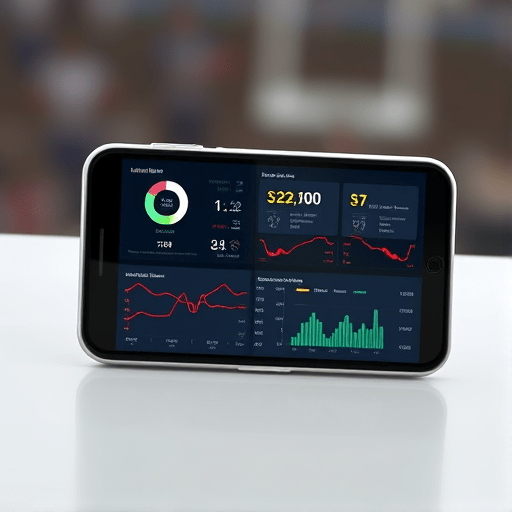
In 2026, fans expect more than just the final score on their club’s mobile app—they want immersive, real‑time dashboards that display live match statistics, player heat maps, and dynamic narratives as the game unfolds. This guide walks you through the entire process of building a real‑time dashboard for club apps, from sourcing data to rendering it on mobile screens, so your app can keep supporters engaged at every minute of the match.
1. Define the Dashboard Experience
Start by sketching the fan journey. What stories do you want to tell during a match? Typical elements include:
- Live ball possession, shots on target, and fouls
- Player heat maps and pass trajectories
- Live commentary snippets and video highlights
- Social media feeds and fan polls
Use these insights to create a wireframe that maps data points to visual components, ensuring the layout adapts from portrait phone screens to tablet displays.
2. Gather Reliable Live Data Sources
High‑quality real‑time data is the backbone of any dashboard. Consider the following options:
- Official League APIs – Many top leagues now provide WebSocket or streaming endpoints for live match data.
- Third‑party sport data providers – Companies like Opta, Stats Perform, and Sportradar offer granular events (e.g., tackles, dribbles) and predictive analytics.
- Custom IoT sensors – For clubs with the budget, installing pressure and GPS sensors in training grounds can feed into predictive models during pre‑match build‑ups.
Choose a provider that offers the latency, granularity, and licensing terms you need. Keep a backup plan; for example, if the primary feed goes down, a secondary API can supply critical statistics.
3. Choose a Real‑Time Tech Stack
To support live updates with sub‑second latency, pair a robust backend with an efficient front‑end:
- Backend: Node.js with
Socket.IOor Go withgRPC‑Webfor low‑latency streaming. - Data Broker: Apache Kafka or Redis Streams to buffer and replay events for late‑join fans.
- Database: TimescaleDB or InfluxDB for time‑series storage, allowing quick aggregation for dashboards.
- Front‑end: React Native with
react-native-websocketor Flutter for cross‑platform rendering, coupled with D3 or Victory for data visualizations.
Use container orchestration (Kubernetes or ECS) to auto‑scale the streaming workers during high‑traffic moments like playoffs.
4. Architect the Data Pipeline
Design a pipeline that moves data from source to app efficiently:
- Ingest: Connect to the provider’s streaming endpoint; normalize the schema to your internal format.
- Transform: Enrich events with computed metrics (e.g., possession percentage, expected goals) in real time.
- Store: Write raw events to a time‑series store for audit and replay; cache computed metrics in Redis for fast read.
- Broadcast: Emit updates via WebSockets to subscribed mobile clients.
Implement idempotency keys and sequence numbers to avoid duplicate events and maintain order, which is critical for accurate heat maps.
5. Build the Mobile Dashboard UI
Adopt a modular UI approach where each statistic is a component that can be plugged in or removed without breaking the layout. Key components include:
- Score & Timer – Fixed header with match clock and scores.
- Stat Cards – Compact boxes that show possession, shots, fouls, and dynamically update via props.
- Heat Map Canvas – Render a soccer pitch using SVG or Canvas, overlaying player positions with real‑time data from the server.
- Live Commentary Stream – A scrolling feed that pushes commentary snippets, optionally synced with video highlights.
- Fan Engagement Widgets – Polls, emoji reactions, and social share buttons that emit events back to the server.
Use React’s useEffect hook to subscribe to WebSocket channels and dispatch actions that update the Redux store, ensuring every component reacts to new data instantly.
6. Optimize for Mobile Performance
Live dashboards can strain device resources. Apply these optimizations:
- Throttle updates – Limit the number of state changes per second to avoid UI freezes.
- Lazy load heavy charts – Defer the loading of heat maps until the user scrolls to that section.
- Use hardware acceleration – Apply
transform: translateZ(0)to offload animations to the GPU. - Minimize data payloads – Send only changed fields instead of full objects; use binary formats like Protocol Buffers for bandwidth efficiency.
Test on a range of devices, from budget Android phones to premium iPhones, to ensure consistent smoothness during peak moments.
7. Ensure Reliability and Scalability
Fan engagement peaks during crucial game moments. Your dashboard must scale on demand:
- Stateless services – Keep WebSocket workers stateless; store session state in Redis so any worker can handle a reconnect.
- Horizontal scaling – Use Kubernetes’ autoscaler to spin up more workers as the number of active users grows.
- Load testing – Simulate thousands of concurrent WebSocket connections using tools like k6 or Artillery to uncover bottlenecks.
- Failover strategy – Configure a secondary Kafka broker and a fallback API endpoint so that if the primary feed fails, the app continues to display recent statistics.
Also implement health checks and observability (Prometheus + Grafana) to monitor latency, error rates, and resource usage in real time.
8. Integrate the Dashboard into the Club App
Embed the dashboard as a dedicated tab or pop‑up within the existing club app:
- Use deep linking to navigate users directly to the live dashboard from match notifications.
- Wrap the WebSocket component in a secure channel (WSS) and enforce token‑based authentication so only registered fans can access the feed.
- Provide offline fallback: if the network drops, show the last cached snapshot and queue any fan reactions to be sent when connectivity returns.
- Include a “Share Highlights” button that posts a short video clip (pre‑recorded and synced with the live event) to social media.
Test end‑to‑end flows with real fans during pre‑season matches to fine‑tune latency thresholds and UX.
9. Test, Iterate, and Launch
Adopt a test‑driven development cycle:
- Unit tests – Validate data transformation logic and UI component rendering.
- Integration tests – Mock the WebSocket server to ensure the app correctly processes a stream of events.
- User acceptance tests – Recruit a focus group of loyal fans to try the dashboard during a live match and collect feedback.
After launch, monitor key metrics: average latency between event occurrence and UI update, user session duration, and fan interaction rates. Use these insights to prioritize new features like predictive win probability widgets or AI‑generated commentary.
10. Future‑Proofing Your Dashboard
Sports tech evolves quickly. Plan for the next wave of enhancements:
- Integrate augmented reality overlays that let fans point their phone at the pitch to see player statistics.
- Leverage machine learning to provide personalized content (e.g., recommending a fan’s favorite player’s heat map).
- Expand to multi‑sport integration so the same dashboard framework can display basketball possession or cricket ball speed.
- Build a developer API for third‑party creators to build widgets on top of your live data feed, fostering an ecosystem of fan apps.
By building a modular, scalable architecture from day one, you can keep your fan app ahead of the competition and continuously deliver engaging, real‑time experiences.
In conclusion, creating a real‑time dashboard for club apps is a multi‑disciplinary endeavor that blends data engineering, UI design, and mobile performance optimization. By sourcing reliable live data, architecting a low‑latency pipeline, and delivering a responsive mobile interface, clubs can transform passive viewers into active participants, keeping fans glued to every pass, goal, and moment of the game.