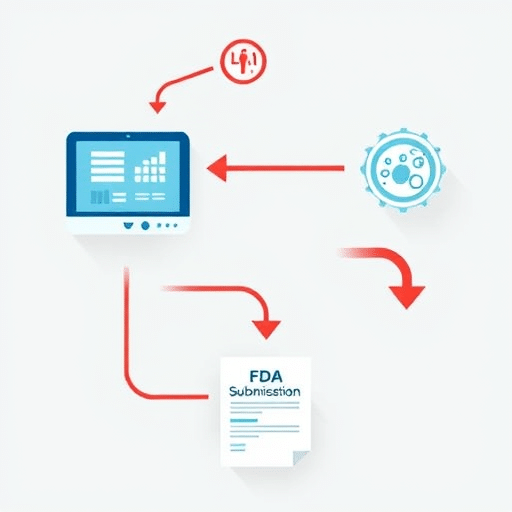
Rural clinics face unique challenges when it comes to processing reimbursements—limited staff, scarce IT support, and a need to keep patient care at the forefront. A one‑click reimbursement flow for rural clinics can streamline billing, reduce errors, and free up clinical time. This guide walks you through the design, implementation, and ongoing refinement of a frictionless, secure, and compliant reimbursement experience tailored to the realities of rural healthcare providers.
1. Understanding Rural Clinic Pain Points
1.1 High Administrative Burden
In many rural settings, billing staff often juggle clinical duties with manual claim entry, data reconciliation, and follow‑ups. The sheer volume of paperwork can lead to delayed reimbursements and missed opportunities.
1.2 Limited IT Resources
Unlike large health systems, small clinics typically lack dedicated IT teams. Solutions must be low‑maintenance, self‑service, and integrate seamlessly with existing Electronic Health Record (EHR) systems.
1.3 Patient‑Centered Workflow
Clinics prioritize direct patient care; thus, any billing interface must be intuitive, unobtrusive, and support a workflow that respects time constraints and avoids interrupting care delivery.
2. Defining the One‑Click Flow Goals
2.1 Speed, Accuracy, Compliance
The core objective is to enable a single button that submits a fully validated claim to insurers, ensuring compliance with CMS and payer rules while maintaining data integrity.
2.2 End‑User Satisfaction
Staff should feel confident that the tool reduces their workload without sacrificing control. User feedback loops are essential for iterative improvement.
2.3 Scalability to Multiple Clinics
Design the solution to be deployable across a network of rural facilities, allowing centralized updates and shared analytics while respecting each clinic’s unique workflows.
3. UX Blueprint Architecture
3.1 Low‑Code Frontend
- Use a component library (e.g., React with Material‑UI) that supports rapid UI assembly.
- Implement responsive design to support tablet and smartphone access.
- Leverage progressive enhancement so legacy browsers still function.
3.2 Secure Data Layer
- Encrypt patient and claim data at rest and in transit using AES‑256 and TLS 1.3.
- Adopt OAuth 2.0 for secure token exchange between EHR, the claim engine, and insurers.
- Maintain a clear audit trail of claim submissions for audit readiness.
3.3 Integration with Insurance APIs
Map the most common payer APIs (e.g., Blue Cross, Medicaid) to the claim engine. Provide a sandbox environment for testing before live deployment.
4. Step‑by‑Step Design Process
4.1 User Research & Persona Building
Conduct shadowing sessions with billing clerks and physicians to capture real‑world interactions. Develop personas such as “Sarah, 35, billing coordinator,” and “Dr. Patel, 50, family physician.”
4.2 Journey Mapping
Chart the entire claim lifecycle from patient visit to insurer response. Highlight friction points like manual data entry or repetitive validations.
4.3 Wireframing Core Screens
Design a minimalistic dashboard with a prominent “Submit Claim” button, contextual tooltips, and a status panel showing claim progress. Use low‑fidelity sketches first, then high‑fidelity mockups.
4.4 Prototyping & Usability Testing
Create interactive prototypes using Figma or InVision. Run moderated testing sessions with 5–7 real users, observing task completion rates and error frequencies.
5. Implementation Blueprint
5.1 Frontend Stack Choices
- React 18 for component reusability.
- Redux Toolkit for state management, enabling optimistic UI updates.
- Styled‑Components for theming that aligns with clinic branding.
5.2 Backend Services
Deploy a serverless architecture on AWS Lambda or Azure Functions. Each claim submission triggers a Lambda function that validates data, calls insurer APIs, and writes to a DynamoDB table for logging.
5.3 API Governance
Centralize API endpoints in an API Gateway. Enforce rate limiting, request validation, and versioning to safeguard against insurer-side changes.
5.4 Security & Compliance
- Conduct annual penetration tests and quarterly vulnerability scans.
- Implement HIPAA-compliant data backups with immutable storage.
- Use role‑based access controls so only authorized staff can trigger claims.
6. Launch and Continuous Improvement
6.1 Pilot Rollout
Start with a single clinic to monitor adoption. Provide on‑site training and a quick‑reference guide.
6.2 Monitoring KPIs
Track metrics such as claim submission time, error rate, reimbursement turnaround, and staff satisfaction scores.
6.3 Feedback Loops
Embed a feedback widget in the UI for instant user comments. Schedule quarterly review meetings with clinic staff to prioritize enhancements.
7. Future‑Proofing the Flow
7.1 AI‑Driven Claim Suggestions
Integrate a lightweight NLP model to auto‑populate missing diagnosis codes or flag potential compliance issues before submission.
7.2 Interoperability Standards
Adopt FHIR R5 for data exchange, ensuring the system remains adaptable to emerging payer ecosystems.
7.3 Cloud‑Native Updates
Use CI/CD pipelines to push minor updates without downtime. Leverage feature toggles to roll out new functionalities incrementally.
By following this step‑by‑step UX blueprint, rural clinics can implement a one‑click reimbursement flow that reduces administrative overhead, speeds up reimbursement cycles, and enhances overall operational efficiency—all while staying compliant with evolving healthcare regulations.