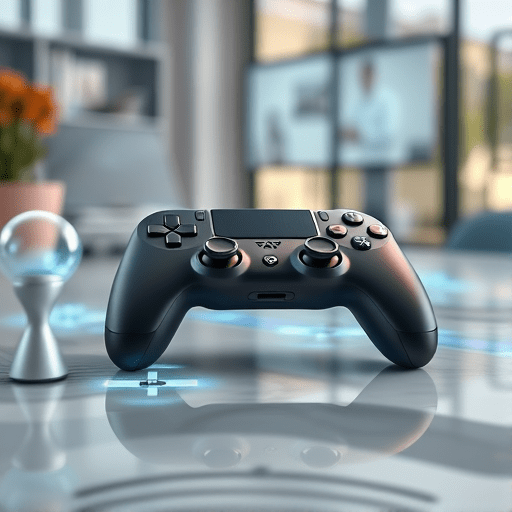
In an increasingly distributed work landscape, AR controllers for remote team collaboration have become essential tools that bridge physical distance and create immersive, real‑time teamwork. This blueprint dives deep into ergonomic design, emerging hardware trends, and software integration strategies that empower designers and developers to build controllers that feel natural, intuitive, and productive for virtual collaboration.
Why Ergonomic AR Controllers Matter for Distributed Teams
Remote teams rely on digital interfaces to mimic the spontaneous communication that occurs in shared office spaces. A controller that feels awkward or induces fatigue can quickly become a barrier rather than a facilitator. Ergonomic design reduces cognitive load, increases accuracy, and allows team members to focus on creative problem solving instead of fiddling with devices.
User-Centric Design Principles for 2026 Remote Collaboration
Context-Aware Interaction
Future controllers must sense the environment—room layout, lighting, and participant density—and adapt interaction affordances accordingly. For instance, a controller could switch from gesture mode to touch mode when the user’s hands are near a shared whiteboard, ensuring that inputs remain consistent across varied contexts.
Multi-Modal Feedback Loops
Combining haptic, visual, and auditory cues helps users confirm actions without breaking immersion. A soft vibration coupled with a subtle glow on the controller surface can confirm a selected object, while a short audio chime signals completion of a collaborative task. The design should balance feedback intensity to avoid sensory overload.
Low Latency and Spatial Fidelity
To maintain a believable shared space, controller inputs must reach the cloud with sub‑50 ms latency. Architectural choices such as edge computing nodes and optimized mesh networking reduce delays. Spatial fidelity, meanwhile, requires precise tracking of the controller’s orientation and position, ensuring that virtual objects respond exactly where the user expects them.
Hardware Innovations Driving UX
Modular Grip Systems
Modularity allows users to swap grips for different tasks: a flat paddle for drawing, a claw grip for precise manipulation, or a thumb‑loop for one‑handed operations. This adaptability lets teams reconfigure their workflow on the fly, mirroring the flexibility of physical workstations.
Haptic Meshes and Biofeedback
Advanced haptic mesh fabrics weave fine vibration patterns across the controller’s surface, providing directional feedback without the bulk of traditional motors. When coupled with biofeedback sensors—such as heart rate or grip pressure—controllers can adjust intensity based on the user’s stress level, creating a more personalized experience.
Power Efficiency and Battery Form Factor
Longer battery life is critical for remote sessions that span hours. Energy‑harvesting technologies—like kinetic generators that capture motion energy—can supplement internal batteries. Additionally, new thin‑film battery designs reduce weight, enabling designers to create controllers that feel lightweight yet powerful.
Software Integration: From UI to Collaboration Platforms
API Bridges to Popular Suites
For seamless adoption, controllers must interface cleanly with tools such as Microsoft Teams, Slack, and Miro. Well‑documented API endpoints allow developers to map gestures to common actions (e.g., “raise hand,” “pinch to zoom”) without reinventing the wheel.
Dynamic Gesture Libraries
Gesture libraries should be extensible, enabling teams to define custom gestures for domain‑specific actions. A shared repository of gestures, versioned and documented, ensures consistency across projects and facilitates onboarding new users.
AI-Driven Adaptive Controls
Machine learning models can predict which controls a user will need next based on context, prior actions, and collaboration patterns. By surface‑recommending relevant tools or auto‑focusing the controller’s attention on the nearest collaborator, AI reduces friction and accelerates workflow.
Testing & Iteration: Remote Usability Labs
Distributed User Testing Protocols
Usability testing must reflect the diversity of remote teams—different time zones, devices, and skill levels. Remote labs can record controller telemetry, video streams, and physiological data to build comprehensive usability reports.
Data-Driven Design Iterations
Analytics dashboards that track gesture accuracy, session duration, and error rates provide actionable insights. Iterations should focus on high‑impact pain points, such as gesture misclassification or latency spikes, and test the impact of design changes on collaboration quality.
Future-Proofing the UX Blueprint
Standardization and Interoperability
Industry consortia should develop open standards for controller hardware and gesture protocols. Interoperability guarantees that teams using different brands can still collaborate fluidly, eliminating vendor lock‑in.
Scalability Across Industries
From architecture to healthcare, each industry brings unique collaboration needs. The blueprint emphasizes modularity, so designers can tailor controller profiles—adding medical‑grade haptics for surgeons or heavy‑hand tools for engineers—while preserving a unified core UX.
In 2026, ergonomic AR controllers will no longer be a luxury; they will be a cornerstone of effective remote teamwork. By grounding design in user‑centric principles, leveraging cutting‑edge hardware, and integrating smart software solutions, we can create controllers that not only keep pace with the evolving workspace but actively shape the future of collaboration.