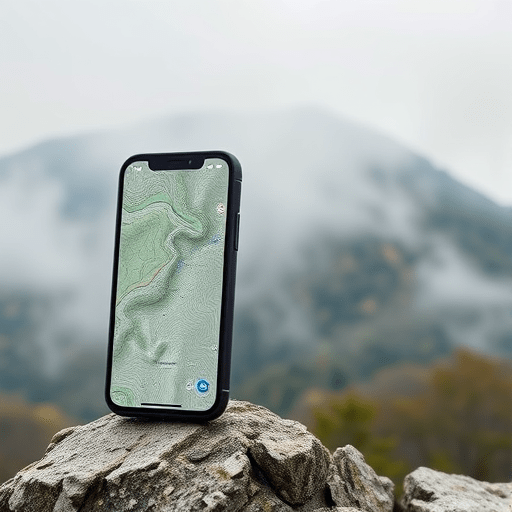
Hiking the Appalachian Trail can be an unforgettable adventure, but it also demands reliable navigation tools. When cell service drops behind a ridge or a dense pine stand, a fully functional offline GPS map becomes essential. This guide walks you through everything you need to know about setting up offline GPS maps on both Android and iOS devices, ensuring you can explore the Appalachian Trail with confidence, even in the most remote sections.
Why Offline GPS Maps Matter for the Appalachians
The Appalachian Trail spans over 2,200 miles, weaving through varied terrain and often traversing areas where satellite visibility can be blocked by high peaks, thick forests, or the occasional weather front. While many hikers rely on the U.S. Forest Service’s real‑time GPS trackers or cloud‑based navigation services, these require a data connection that simply isn’t available far from trail huts or ranger stations. Offline maps, pre‑downloaded onto your phone, provide accurate topography, trail routes, and points of interest without any network dependency. They also reduce battery drain compared to constantly querying online servers.
Choosing the Right Map App for Android
Features to Look For
- Comprehensive Trail Data: Inclusion of official Appalachian Trail segments, side‑routes, and side‑hikes.
- Offline Capability: Ability to download entire mountain ranges or state sections for offline use.
- Elevation Profiles & Slope Indicators: Crucial for estimating effort and spotting ridgelines.
- Battery Saver Mode: A feature that turns off non‑essential background services to preserve charge.
- Custom Markers & Notes: Lets you flag water sources, shelters, or points of scenic interest.
Step‑by‑Step Setup
1. Download a reputable offline‑map app such as OruxMaps or MapMyHike from the Google Play Store.
2. Open the app and navigate to the “Download Maps” section.
3. Select the Appalachian region—most apps allow you to choose entire states or zip codes. For beginners, downloading the entire Pennsylvania and New Jersey sections offers a safe, manageable start.
4. Confirm the download; expect several gigabytes for a full state map. Make sure you have enough internal storage or an SD card.
5. Once downloaded, go to the “My Trails” tab and create a new trail. Input the start and end points or let the app auto‑detect your current GPS location.
6. Activate “Offline Mode” before leaving the last Wi‑Fi hotspot. The map will now load entirely from your device.
Choosing the Right Map App for iOS
Features to Look For
- Seamless iOS Integration: Compatibility with the Health app and Apple Watch for heart‑rate monitoring.
- High‑Resolution Topo Layers: Crisp contour lines and shaded relief for better terrain understanding.
- Community Trail Updates: Access to recent trail condition reports that can be synced offline.
- Offline Trail Guides: Built‑in PDFs or audio guides that accompany each trail segment.
- Low‑Power GPS Tracking: Option to use cellular GPS in low‑bandwidth mode.
Step‑by‑Step Setup
1. Install AllTrails or Gaia GPS from the App Store.
2. After signing in, locate the “Trail” search bar and type “Appalachian Trail.”
3. Tap the trail listing, then click “Download” to store the entire segment. For a first trip, download the 50‑mile section near your nearest trailhead.
4. Within the app, enable the “Offline” toggle to lock the map onto your device.
5. Set your preferred GPS accuracy under Settings → Tracking → Accuracy. For most hikers, “Standard” offers the best balance between precision and battery life.
6. Before heading out, check the “Check Out of Battery” reminder to ensure your phone is charged to at least 80%.
Preparing Your Device: Battery, Storage, and Connectivity
Even with a robust offline map, your device’s physical limits can become a bottleneck. Here’s how to optimize your gear for a long Appalachian stretch.
- Battery: Invest in a high‑capacity portable charger (at least 10,000 mAh). Mount it in a waterproof pouch or attach it to your pack’s frame. Use the phone’s power‑saving mode and disable unnecessary notifications.
- Storage: Many offline maps exceed 5 GB per state. Verify that your phone’s internal storage or SD card has at least 15 GB free. Consider deleting non‑essential apps or media before the trip.
- Connectivity: Even though you’ll be offline, setting up an emergency beacon (e.g., a satellite messenger) that uses the phone as a data relay can be lifesaving. Ensure your phone’s cellular connection is active for the beacon but disable background data to save battery.
- Weather Resistance: Use a screen protector and a waterproof case. A rain poncho or a lightweight tarp can keep your device dry during sudden downpours.
Navigating the Trail with Confidence
Using Trailhead Markers and Compass
While GPS points you to the nearest trail, traditional navigation remains vital when the signal fades. Carry a reliable handheld compass and a printed topographic map of your segment. The compass will help you maintain a bearing when you step off the main trail onto a side hike. Remember the classic “compass and map” rule: always orient the map to the terrain before setting off.
Syncing with Cloud (Optional)
For those who prefer to keep a backup, many offline apps support cloud sync. Store your trail data, waypoints, and notes on services like Google Drive, Dropbox, or iCloud. If you lose your device or need to reset it, you can quickly restore your offline maps and trip logs.
Troubleshooting Common Issues
Low GPS Accuracy
Factors such as canopy cover, metal objects, and atmospheric interference can degrade GPS precision. To counter this:
- Move to an open spot briefly to “snap” your position.
- Turn on the phone’s “High Accuracy” mode if available.
- Ensure your device’s firmware is up to date, as OS patches often improve GNSS performance.
Map Download Failures
If the map download stalls or fails:
- Check that you have a stable Wi‑Fi connection before initiating the download.
- Clear the app’s cache and restart.
- Try a different app or use the app’s community forums for specific bug reports.
Enhancing Your Hiking Experience
Adding Points of Interest
Many offline map apps allow you to tag custom waypoints—such as a scenic overlook, a historic monument, or a water source—directly onto the map. This feature turns a simple hike into a curated adventure. When you’re planning a trip, pre‑add these points so you can see their exact coordinates and distances.
Offline Trail Guides
Beyond navigation, some apps bundle narrative guides, photos, and audio commentary. For instance, the Appalachian Trail Club offers a free “Trail Guide” app that includes daily summaries and weather alerts. Downloading these guides beforehand ensures you have contextual information even if the trail’s signage is sparse.
Staying Safe on the Appalachian Trail
Even with the best technology, safety relies on preparation. Check the official Appalachian Trail Conservancy website for current trail conditions, including closures, water levels, and wildlife alerts. Carry a basic first‑aid kit, inform someone of your itinerary, and carry a whistle. Finally, respect the Leave No Trace principles: pack out all trash and minimize your impact on the fragile ecosystems.
By combining a reliable offline GPS map with sound preparation and traditional navigation skills, you can confidently traverse the Appalachian Trail’s varied landscapes. Whether you’re a first‑time hiker or a seasoned thru‑hiker, these tools ensure that the only limits you’ll face are the trail’s natural challenges, not technology glitches.