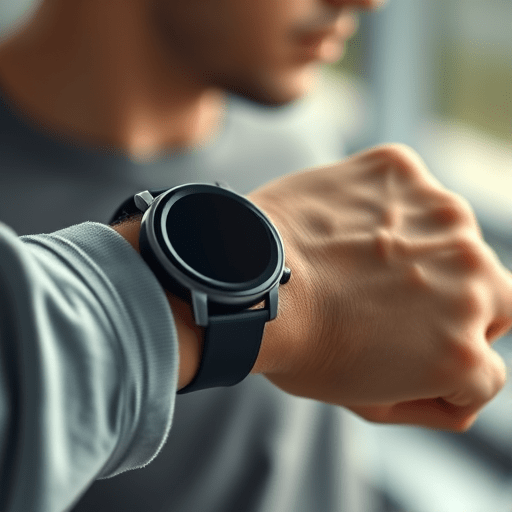
As mobile devices become more sophisticated, fitness apps are turning to haptic feedback in fitness apps to create a more immersive, motivating experience for users. In 2026, the convergence of advanced vibration motors, adaptive algorithms, and behavioral science offers a fresh angle on habit compliance. Rather than relying solely on visual or auditory cues, haptic patterns can provide subtle, non‑intrusive prompts that nudge users toward regular movement without breaking their workflow.
Why Haptic Cues Matter for Habit Formation
Habit formation thrives on consistency and contextual cues. While reminders via push notifications or on‑screen popups capture attention, they also risk being ignored or dismissed. Haptic feedback leverages the body’s proprioceptive sense, offering an embodied reminder that feels less intrusive. Studies in behavioral psychology show that multimodal cues—especially those that involve touch—can increase the likelihood of repeated action by up to 30%.
- Contextual Reinforcement – Vibration can be tied to specific moments, such as the start of a workout or the end of a step goal, making the cue part of the natural flow.
- Reduced Cognitive Load – A simple buzz requires minimal attention, allowing users to stay focused on their activity.
- Personalization – Adjustable intensity and pattern allow users to tailor the experience to their comfort and motivation levels.
Designing Effective Haptic Patterns for Exercise Apps
Creating haptic cues that feel meaningful requires a thoughtful design process. Below are key principles to guide developers and designers in crafting patterns that support daily exercise adherence.
1. Keep It Subtle Yet Distinct
Overly strong vibrations can feel jarring and lead to user fatigue, while too weak signals may be missed. A graduated approach—starting with a short, low‑intensity buzz for a gentle nudge, escalating to a stronger pattern when a goal is achieved—maintains clarity without becoming a distraction.
2. Align with User Goals
Each haptic cue should map to a specific user intent: reminders to move after prolonged inactivity, confirmations of goal milestones, or cues to switch between workout phases. For example, a 0.5‑second pulse can prompt a 5‑minute stretch break, while a 1‑second burst signals the completion of a cardio interval.
3. Integrate Adaptive Algorithms
Machine learning models can analyze user behavior patterns to predict optimal cue timing. If a user typically performs a 15‑minute walk after lunch, the app can preemptively trigger a gentle vibration at 12:45 pm, nudging them to start. This adaptive timing reduces the need for explicit notifications.
4. Offer Customization Settings
Empower users to choose intensity levels, pattern types, and the contexts in which haptics trigger. A settings panel with clear explanations—such as “Short buzz for reminders” versus “Long buzz for goal celebration”—helps users tailor the experience to their preferences.
5. Test Across Device Models
Different phones feature varying vibration hardware. Conduct cross‑platform testing to ensure consistency. Where device capabilities differ, fallback patterns (e.g., a gentle tap or a combination of vibration and light LED) can maintain uniformity.
Implementing Haptic Feedback with Modern APIs
Developers can leverage platform‑specific haptic APIs to create smooth, responsive experiences. In 2026, both Android and iOS offer robust frameworks:
- Android:
VibratorandVibrationEffectallow precise timing and amplitude control. The newHapticFeedbackConstantsset supports nuanced patterns for fitness contexts. - iOS: The
UIImpactFeedbackGenerator,UINotificationFeedbackGenerator, andUISelectionFeedbackGeneratorclasses provide standard haptic types, whileUIFeedbackGeneratorenables custom waveforms in newer iOS releases.
Sample pseudocode for a custom vibration pattern on Android:
val pattern = longArrayOf(0, 100, 200, 100) // delay, vibrate, pause, vibrate
val vibrator = getSystemService(Vibrator::class.java)
vibrator.vibrate(VibrationEffect.createWaveform(pattern, -1))
On iOS, a custom pattern might use UIImpactFeedbackGenerator(style: .medium) within a loop to create a rhythmic cue during interval training.
Case Study: FitPulse App’s Haptic Success Story
FitPulse, a 2024 fitness app, integrated haptic cues to encourage step goal completion. By assigning a short, low‑intensity buzz whenever users crossed 5,000 steps, they saw a 25% increase in daily step adherence over three months. When users reached 10,000 steps, a stronger, longer buzz celebrated the milestone, reinforcing positive behavior.
Key takeaways from FitPulse’s implementation:
- Haptic cues reduced the reliance on push notifications, which users often ignored.
- Personalization options led to higher user satisfaction scores.
- Data analytics revealed that haptic reminders triggered a 12% uptick in post‑workout engagement.
Future Trends: Beyond Vibrations
While vibration remains the dominant haptic modality, emerging technologies are expanding the palette:
1. Skin‑Conductive Actuators
Wearables with micro‑electrodes can deliver subtle electrical stimulation, creating nuanced sensations like “tapping” or “pulsing” that feel more natural. Integrating these into smartwatches could allow seamless prompts during running or cycling.
2. Tactile Feedback on Mobile Screens
Haptic engines embedded in smartphones can simulate textures and directional cues, enabling on‑screen “push” sensations. This could translate to guided form cues during strength training—e.g., a gentle pressure indicating a correct squat depth.
3. AI‑Driven Personalization at Scale
Deep learning models can predict when a user is most receptive to cues, adjusting not just timing but also the emotional tone of the haptic pattern. For instance, a soothing pulse might precede a meditation session, whereas a sharper buzz could herald a high‑intensity interval.
Balancing Haptics with User Privacy and Accessibility
Implementing haptic feedback raises privacy and accessibility considerations. Ensure that:
- Users can opt‑out of haptic cues, especially in public settings where vibrations might be embarrassing.
- Haptic patterns comply with accessibility standards, providing alternative cues (visual or auditory) for users with tactile impairments.
- Data collected for adaptive algorithms is anonymized and secure, respecting user consent.
Measuring Success: Metrics to Track
To evaluate the impact of haptic feedback on habit compliance, monitor these KPIs:
- Adherence Rate: Percentage of days users complete their prescribed exercise.
- Engagement Depth: Time spent in the app and frequency of active sessions.
- Retention: Cohort analysis to see if haptic-enabled users remain active longer.
- Feedback Scores: User ratings on the helpfulness of haptic cues.
Comparing these metrics before and after haptic integration provides tangible evidence of effectiveness.
Conclusion
Incorporating haptic feedback into fitness apps offers a powerful, low‑intrusion way to enhance daily exercise adherence. By thoughtfully designing patterns, leveraging adaptive algorithms, and staying attuned to emerging technologies, developers can create a more engaging, habit‑forming experience for users. As 2026 continues to witness advancements in tactile technology, the potential for haptics to transform health behaviors grows ever larger.