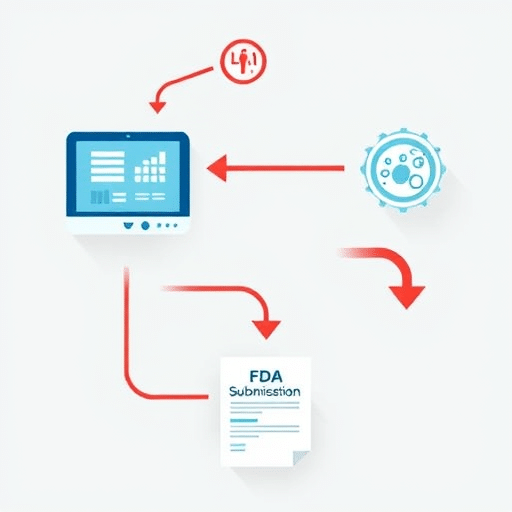
FHIR Bulk Data: How to Export Large Datasets from EHRs for Research has become one of the most important workflows for health systems and research institutions that need to move beyond small API queries and into full-population analytics. With the maturation of FHIR Release 4 and its Bulk Data Access implementation guide, exporting thousands or even millions of records no longer requires custom HL7 v2 extracts or robotic screen scraping. In 2026, researchers can leverage standardized endpoints that deliver the exact clinical data they need in a machine-readable format. This tutorial walks through the entire process, from obtaining the right credentials to downloading NDJSON files that can feed data lakes, AI models, and clinical trial recruitment platforms.
Understanding the FHIR Bulk Data API and Its Role in Research
The FHIR Bulk Data API, often referred to as the $export operation, is a standardized way to retrieve large sets of FHIR resources from an EHR or other FHIR server. Instead of paging through individual patient records, $export kicks off an asynchronous job that packages all requested data into one or more downloadable files. For research teams, this means the ability to pull entire cohorts or even the entire de-identified population of a health system without overwhelming the source server.
The API follows an asynchronous pattern: a request is initiated, the server works on it in the background, and the client polls a status endpoint until the files are ready. This design is essential for large-scale research because it avoids timeouts and allows the server to prioritize clinical operations. Researchers can also request only specific resource types—such as Conditions, Observations, or Medications—which narrows the export and reduces bandwidth requirements.
What Is the $export Operation?
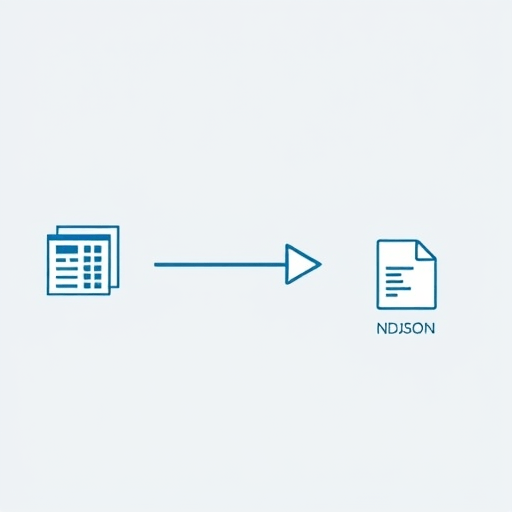
At its core, $export is a GET request to a FHIR server’s export endpoint. The server responds with a 202 Accepted status and a content-location header pointing to a polling URL. From there, the client polls until the server returns a 200 OK with a manifest of generated files. Each file is in NDJSON format, with one JSON object per line representing a single FHIR resource. This structure is simple to parse and works natively with big data tools like Apache Spark, pandas, and cloud data warehouses.
Prerequisites: Authentication and Authorization for Bulk Data
Before any data can be exported, the requesting application must prove it is authorized to access the full scope of data. For bulk exports, OAuth 2.0 alone is rarely enough. The FHIR standard recommends using the SMART Backend Services profile, which grants server-to-server access using JSON Web Tokens (JWTs). This is a major shift from the patient-facing SMART App Launch flow, because no user is present to grant consent.
To get started, you need a registered client application with the health system’s FHIR server. This registration typically includes your application’s public key, redirect URIs, and the requested scopes. For bulk data, the scope is often system/*.read or a more restricted variant like system/Patient.read. Because the token grants system-level access, it must be treated with the same care as a database credential. Many institutions require a formal signed data use agreement before issuing these credentials.
Using SMART Backend Services for Automated Access
The SMART Backend Services flow is straightforward for developers, but it has security nuances. Your client application generates a JWT containing its client ID, issuer, audience (the FHIR server’s token URL), and a private key signed assertion. You then POST that assertion to the token endpoint, and the server returns an access token. That token is what you submit in the Authorization: Bearer header of your $export request. If your organization already has a service account for other FHIR operations, the same pattern applies.
Step-by-Step Guide to Exporting EHR Data
Now let’s walk through the actual export process from start to finish. These steps assume you have already received a client ID, private key, and the appropriate scopes from the EHR vendor. If you are testing against a public FHIR server, most providers support a sandbox with dummy data.
Step 1: Request an Authorization Token
Construct a JWT and exchange it for an access token. The JWT must include the following fields:
iss: your registered client IDsub: the same client IDaud: the FHIR server’s token endpointexp: the token expiry time (typically 5 minutes)jti: a unique identifier to prevent replay attacks
After signing the JWT with your private key, POST it as a client credentials grant. The response will contain an access_token valid for a limited period—often 30 to 60 minutes. For very large exports, you may need to refresh this token if the export takes longer than the token’s lifetime, though most servers accept the token at the initial request and then allow polling without re-authenticating.
Step 2: Construct the $export Request
The simplest export request targets the entire FHIR server:
GET [base] /$export?_type=Patient,Condition,ObservationYou can narrow the export by adding parameters like _since to retrieve only resources updated after a certain timestamp, or _typeFilter to apply FHIR search criteria. For example, to export only male patients over 50 with a diagnosis of diabetes, you might use:
_typeFilter=Patient%3AProjection=Patient%2C Condition%3Fcode%3Dhttp%3A%2F%2Fsnomed.info%2Fsct%7C44054006Be careful with URL encoding. Many research teams prefer the simplicity of exporting entire resource types and then filtering locally, which avoids the complexity of FHIR search syntax on the server side.
Step 3: Poll the Response Status
After sending the $export request, the server will return a 202 Accepted with a Content-Location header. This URL is your polling endpoint. Poll it every few seconds or minutes, depending on the server’s guidance. The server will return 202 while the export is still running, and 200 when files are ready. A 400 or 403 indicates an authorization or request error, and you should inspect the response body for details.
Step 4: Download NDJSON Files
When polling returns 200, the response body is a JSON manifest containing a transactionTime, request, requiresAccessToken, and an array of output resources. Each output item has a type (e.g., Patient), url, and count. Download each file at the provided URL. These URLs may require your access token for authentication if requiresAccessToken is true. Store the NDJSON files in a secure location because they contain protected health information unless you are using an anonymized export.
Step 5: Reassemble and Validate Data
Once all files are downloaded, you will have a directory of NDJSON files. Use a streaming parser to load them into your data platform. Validate that the total record counts match the manifest. Also verify that resources are internally consistent—for example, that every Observation references a Patient that exists in the Patient file. It is common to find orphaned references when the export is split across multiple files or when the server uses partial indexing. Implement referential integrity checks as part of your ingestion pipeline.
Optimizing Large-Scale Exports for Research Pipelines
Exporting data is only half the battle. The way you structure your requests can dramatically affect performance and the quality of your research dataset. For instance, using the _since parameter to run incremental exports is critical for longitudinal studies. Instead of re-downloading the entire database every week, you can request only changes. This is both faster and less disruptive to the EHR system.
Incremental Exports and Relational Data
Most FHIR bulk exports are flat files, but research often requires relational modeling. To build a research-ready database, you will need to join resources by their logical IDs and reference fields. Doing this efficiently requires deep understanding of FHIR resource references. For example, an Observation resource may reference a Patient via subject.reference, but the referenced ID could be a relative URL that includes the base server path. Normalize these values during ingestion.
Another optimization is to split exports by resource type or date range across multiple concurrent jobs. However, be mindful that some servers rate-limit the number of active export jobs. A safer approach is to use one broad export with a filter and then parallelize the download of individual NDJSON files using a download manager or script.
Common Pitfalls and Best Practices
Many teams stumble on seemingly simple issues. Here are the most frequent mistakes and how to avoid them:
- Ignoring server-specific limits: Some EHRs cap the number of resources per file or split exports into hundreds of files. Always assume multiple files and write code that iterates through the manifest.
- Incorrect JWT audience: The
audclaim must match the exact token endpoint URL, often including a trailing slash. Double-check vendor documentation. - Assuming the token works for file downloads: Some servers require the token only for the initial request; others require it for each file. Handle both cases gracefully by adding the Authorization header to all download requests.
- Skipping the validation step: A successful export does not guarantee flawless data. Run validation against the FHIR specification and your own business rules before using the data in research.
- Not respecting server load: Bulk exports are resource-intensive on the EHR side. Run them during off-peak hours and coordinate with your IT department to avoid impacting clinical users.
Another best practice is to keep a record of the export’s transactionTime and request parameters. This ensures reproducibility—a crucial requirement in research. For publications, you can cite the exact export timestamp and query used to generate the dataset.
Conclusion
The FHIR Bulk Data API has fundamentally changed how researchers access EHR data. Instead of waiting for vendor-specific extracts, a single $export call can deliver millions of resources in a standardized format. By following the steps outlined here—obtaining SMART Backend Services credentials, constructing a valid request, polling effectively, and validating NDJSON output—you can build a reliable pipeline for large-scale research. As EHRs continue to adopt this specification in 2026 and beyond, the ability to export and transform bulk FHIR data will become a core skill for anyone working with real-world clinical data.