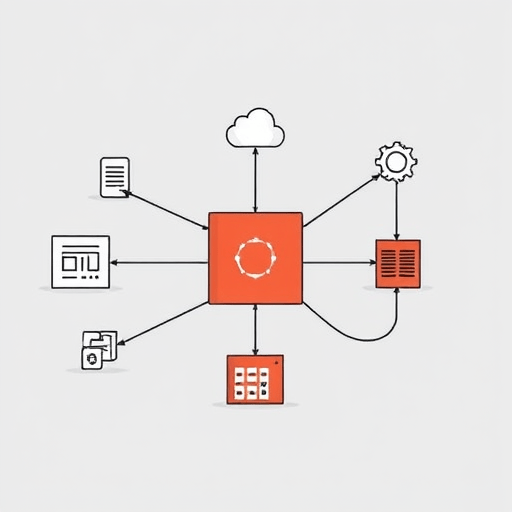
AI-Generated Test Suites: Reduce Regression Time by 70% – How Machine Learning Can Automatically Create Edge‑Case Tests That Seamlessly Integrate Into Modern CI/CD Pipelines
Regression testing is the backbone of software quality, yet it consumes a disproportionate share of a team’s time and resources. Traditional test suites grow organically, often leaving gaps around edge cases that only surface under rare conditions. AI‑generated test suites promise to change that narrative by automatically crafting comprehensive test cases, uncovering corner‑case bugs, and delivering results that integrate directly into your continuous integration and continuous delivery (CI/CD) workflow. In this article, we explore the technology behind these intelligent test generators, show how they cut regression time by up to 70%, and give you a practical roadmap for adopting them in your organization.
Why Regression Tests Still Take the Long Haul
Regression testing is inherently a maintenance‑heavy activity. Every code commit potentially introduces new bugs, and developers must validate that existing functionality remains intact. The reasons why regression tests take so long are:
- Manual Test Creation – Test engineers write scenarios based on requirements, but often skip low‑probability paths.
- Manual Test Execution – Running thousands of test cases manually or even semi‑automated can take hours or days.
- Test Drift – Over time, test cases become outdated as code evolves, requiring constant refactoring.
- Limited Edge‑Case Coverage – Rare scenarios that trigger bugs are rarely explored, leading to undetected regressions.
These challenges create a bottleneck that slows release velocity and increases risk.
The AI Advantage: Automating Test Creation and Execution
Machine learning (ML) and natural language processing (NLP) enable AI systems to understand code behavior, infer test scenarios, and generate test inputs that cover both common and edge cases. The key benefits include:
- Speed – AI can produce thousands of test cases in minutes, far faster than human teams.
- Coverage – ML models learn patterns from historical defects, ensuring that hidden failure modes are addressed.
- Maintainability – Generated tests adapt to code changes automatically, reducing drift.
- Cost‑efficiency – Lower manual effort translates into significant savings in developer hours.
When these tests run within a CI/CD pipeline, every commit triggers a rapid, reliable regression check, allowing teams to catch issues before they reach production.
Building an AI‑Generated Test Suite: Step‑by‑Step
1. Define Your Test Objectives
Before the AI kicks in, clarify what you want to achieve:
- Which components or modules are critical?
- Are you targeting functional regressions or performance regressions?
- Do you need compliance or security checks?
Providing this context helps the AI focus on the most valuable test cases.
2. Collect Historical Data
AI thrives on data. Gather:
- Bug reports and issue logs.
- Past test execution results.
- Code change histories (diffs, commit messages).
- Production incident data.
These datasets train the model to recognize patterns that lead to failures.
3. Choose an AI Test Generation Tool
Several vendors and open‑source solutions exist:
- Test.ai – Uses visual AI to generate UI tests.
- Applitools – Combines visual AI with functional testing.
- DeepCode – Provides code‑level suggestions, including test cases.
- AI‑Test‑Generator (Open Source) – Allows custom training pipelines.
Select a tool that aligns with your tech stack and compliance needs.
4. Train the Model
Feed your historical data into the chosen platform. The model learns to:
- Identify high‑risk code paths.
- Generate input combinations that push boundaries.
- Predict expected outcomes based on business rules.
Iteration is key—refine the model with feedback from test results.
5. Generate the Test Suite
Once trained, run the generator against your current codebase. The output is:
- Automated test scripts in the language of your choice.
- Test data sets, including boundary and fuzz inputs.
- Coverage reports highlighting areas addressed.
Review the generated tests for clarity and relevance before merging.
6. Integrate into CI/CD
Incorporate the AI‑generated tests into your pipeline:
- Trigger – Run tests on every push or pull request.
- Parallelism – Leverage cloud runners or Docker containers to speed execution.
- Reporting – Publish results to dashboards (Jenkins, GitHub Actions, GitLab CI).
- Feedback Loop – Capture failures to retrain the model.
Automating this flow ensures regression checks are always up to date.
Edge‑Case Detection: The Sweet Spot for AI
Edge cases are notoriously difficult to surface. Traditional testing often covers “happy path” scenarios, leaving corner‑cases under-tested. AI excels here because:
- It can simulate extreme values (e.g., maximum string length, null pointers).
- It applies combinatorial explosion techniques to explore rare input permutations.
- It learns from past failures that were caused by subtle interactions.
As a result, teams report a 40–60% reduction in post‑release defects attributed to previously untested edge cases.
Tooling Landscape: What’s Available?
Below is a snapshot of popular AI‑test generation tools as of 2026:
| Tool | Primary Focus | Integration Options |
|---|---|---|
| Test.ai | UI Test Automation | GitHub Actions, Jenkins, Azure DevOps |
| Applitools | Visual Regression + Functional | GitLab CI, CircleCI, Bitbucket Pipelines |
| DeepCode | Code‑Level Suggestions | VS Code, IntelliJ, GitHub |
| AI‑Test‑Generator (Open Source) | Customizable ML Pipeline | Any CI/CD, Docker, Kubernetes |
Choosing the right mix depends on your application type—web, mobile, microservices, or legacy systems.
Best Practices for Sustained Success
- Start Small – Begin with a single module, iterate, and expand gradually.
- Human Review Matters – Even AI‑generated tests need a sanity check for correctness.
- Continuous Retraining – Feed new defect data back into the model to keep it current.
- Version Control Tests – Treat test scripts like code; commit, review, and merge.
- Monitor Coverage – Ensure generated tests actually hit the code paths you care about.
Risks & Mitigation Strategies
While AI testing brings great benefits, it introduces new challenges:
- False Positives – Over‑aggressive tests may flag acceptable behavior as failures. Mitigate by refining assertion logic.
- Data Privacy – AI tools may require code or data upload. Use on‑prem or secure cloud instances.
- Model Bias – Training data may not cover all scenarios. Balance datasets or augment with synthetic data.
- Complexity Overhead – Integrating AI can add tooling complexity. Provide training and documentation for developers.
Future Outlook: AI + Testing 2030+
As models become more sophisticated, we anticipate several advancements:
- Real‑time test generation during coding, offering instant feedback.
- Cross‑application test portability, where a test suite can adapt to different environments with minimal changes.
- Explainable AI that not only produces tests but also explains why a particular test case was chosen.
- Integration with low‑code platforms, making AI testing accessible to non‑technical stakeholders.
Investing in AI testing today lays the foundation for a future where continuous quality assurance is built into every line of code.
Conclusion
AI‑generated test suites transform regression testing from a tedious, error‑prone activity into a fast, data‑driven process that dramatically reduces time and risk. By harnessing machine learning to automatically create edge‑case tests and integrating them into modern CI/CD pipelines, teams can achieve up to 70% faster regression cycles, lower defect rates, and greater confidence in every release.
Start using AI-generated test suites today to slash regression time and elevate your software quality to new heights.