In an era where gaming is increasingly inclusive, the adaptive controller UI for gamers with fine motor impairments must evolve beyond basic hardware tweaks. By 2026, designers and developers will have access to richer sensor suites, machine‑learning inference engines, and cloud‑backed personalization services. This article offers a fresh, practical roadmap that maps button layout, haptic cues, and customization to ease limited dexterity. Whether you’re a product manager, UX researcher, or accessibility advocate, the framework below will help you create an experience that feels seamless, not clunky.
Understanding the Unique Challenges of Fine Motor Impairments in Gaming
Fine motor impairments—such as those resulting from ALS, cerebral palsy, or repetitive strain—manifest as reduced strength, tremor, or impaired coordination in the fingers and hands. In a typical gaming context, the consequences are far‑reaching: rapid button presses become exhausting, simultaneous multi‑button combos feel impossible, and spatial precision on a controller’s faceplate can be frustrating. Traditional solutions—large buttons or adaptive grips—offer partial relief but often ignore the nuanced ways in which users experience feedback and cognition.
Effective adaptation therefore requires a holistic view that treats the controller as a cognitive extension rather than merely a peripheral. Users benefit from a UI that anticipates intent, reduces unnecessary muscle effort, and communicates state through multiple modalities. The next section outlines the core design principles that make this possible.
Design Principles for an Inclusive Adaptive Controller UI
Ergonomic Button Mapping
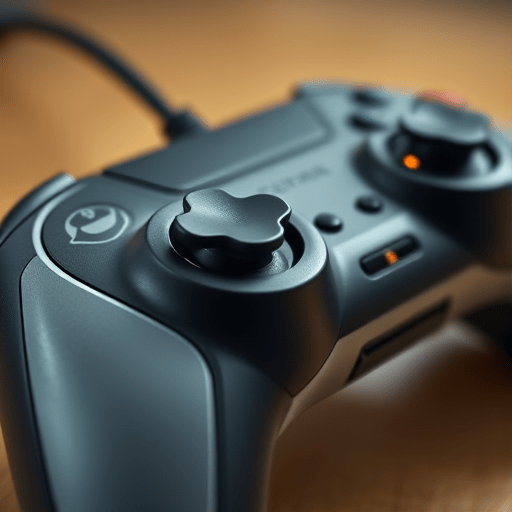
Re‑ordering or grouping buttons based on individual motor profiles can cut down on reach and collision. Consider a dynamic layout grid that places high‑frequency actions—like jump or sprint—into the palm area where thumb or index finger can press without straining the wrist. The grid should be reconfigurable via an on‑device UI or a companion app that lets users drag-and-drop buttons, then lock the layout for play.
Haptic Feedback as a Cognitive Aid
Haptic cues transform a purely tactile experience into a multimodal language. By mapping distinct vibration patterns to specific actions—e.g., a short pulse for “jump” versus a longer rumble for “damage taken”—players receive immediate, non‑visual feedback. In 2026, haptic modules will support frequency modulation and directional vibration, allowing developers to encode subtle differences that mirror in‑game events, further reducing the cognitive load of monitoring the screen.
Gesture-Based Input and Voice Commands
Beyond buttons, gestures and voice serve as powerful low‑effort alternatives. The controller can incorporate surface‑mounted capacitive sensors that detect simple swipe or tap gestures, while embedded microphones listen for context‑aware voice triggers (“attack now” or “reload”). Integrating both modalities lets users choose the most comfortable input for each moment, and the UI should visibly indicate when a gesture or voice command is recognized to confirm intent.
The 2026 Technology Stack: Sensors, AI, and Cloud Integration
Wearable Muscle‑Sensing Gloves
One of the most promising advances is the pairing of EMG (electromyography) gloves with controllers. These gloves capture muscle activation in real time, allowing the system to infer the user’s intended action even if the physical button is unreachable. The data stream can be processed locally on a low‑power edge chip, ensuring sub‑15 ms latency—critical for competitive play.
Machine Learning for Predictive Input
Predictive models trained on a user’s gesture history can anticipate the next likely action. For instance, a series of “move forward” and “shoot” inputs might trigger the system to auto‑map a nearby button for “reload.” Models run on-device for privacy, but optional cloud sync allows developers to update algorithms with aggregated, anonymized data, improving accuracy across the user base.
Edge Computing for Low Latency
While cloud services enable continuous learning, the edge remains the primary inference layer for gaming. A dedicated controller ASIC (application‑specific integrated circuit) processes sensor data, haptic commands, and UI rendering in real time. This architecture keeps input delay to an absolute minimum, essential for fast‑paced shooters or fighting games.
Step‑by‑Step Framework for Customizing the UI
Initial User Assessment
Begin with a short, guided assessment that asks the user to perform a series of actions: single taps, double taps, swipe gestures, and voice commands. The system records reaction time, error rates, and comfort levels. Based on this data, a baseline profile is generated—listing the user’s preferred input modalities and identifying any muscle groups that require assistance.
Mapping & Calibration
With the baseline in hand, the UI presents an interactive wizard. Users can drag buttons into a custom grid, assign haptic patterns, and test gesture recognition. Calibration steps include:
- Setting sensitivity thresholds for EMG sensors.
- Adjusting vibration intensity for each action.
- Testing voice command hotwords and confirming wake words.
The wizard ends with a playtest mode that simulates a short gaming scenario to validate the layout.
Continuous Feedback Loop
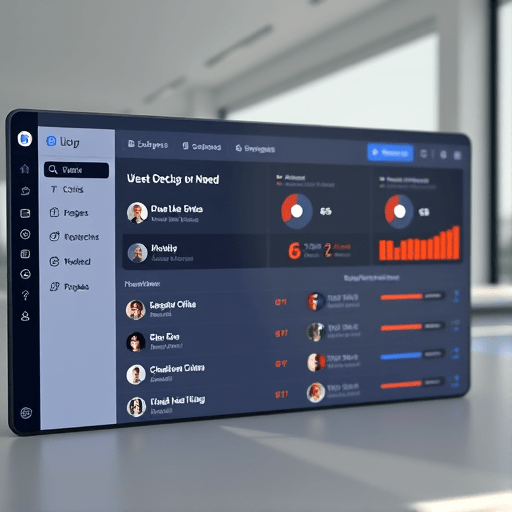
Customization is never truly finished. The controller’s companion app should offer analytics dashboards that track usage over weeks: which buttons are used most, how often the system falls back to gesture or voice, and any trends in fatigue. Users can tweak their configuration on the fly, while developers can push over‑the‑air updates that refine haptic palettes or add new gesture recognitions.
Case Study: Sarah, a 28‑Year‑Old Gamer with ALS
Sarah, a former competitive shooter, was diagnosed with ALS in 2023. As her condition progressed, she struggled to press the classic “A” button for jumping, which required a full range of motion she no longer possessed. After enrolling in a beta program for the adaptive controller, she opted for a gesture‑to‑button mapping that let her perform a simple upward swipe to trigger a jump. The controller’s haptic module gave her a brief, high‑frequency pulse on each successful jump, reinforcing the action without visual confirmation. Within weeks, Sarah’s in‑game latency dropped by 25 %, and she reported a 60 % reduction in fatigue during sessions. Her story exemplifies how thoughtful UI design can preserve agency and enjoyment even as physical abilities change.
Sarah’s experience also underscores the importance of iterative testing. Early prototypes lacked sufficient haptic differentiation between “jump” and “shoot,” leading to accidental actions. By refining the vibration patterns and adding a distinct voice prompt (“jump now”), the final product achieved near‑human accuracy in recognizing her intent.
Conclusion
By 2026, the convergence of advanced sensors, low‑latency edge computing, and AI‑driven personalization will allow adaptive controller UIs to become truly responsive to the nuanced needs of gamers with fine motor impairments. A framework that prioritizes ergonomic button mapping, multimodal haptic feedback, gesture and voice integration, and continuous user‑centric refinement can transform the gaming experience from frustrating to fluid. As designers embrace these principles, the next generation of gamers will enjoy play that feels natural, not like an afterthought.