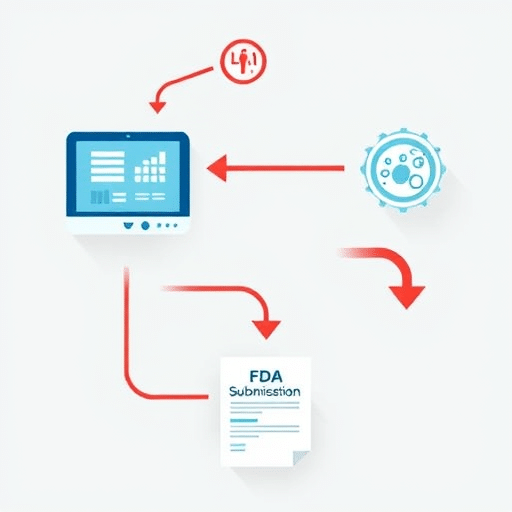
Deploying CDSS in rural settings can transform patient care, but the lack of IT staff and imperfect data often make it seem out of reach. This guide walks rural practices through realistic, practical steps—from building a lean IT team to ensuring data quality—so that clinical decision support becomes a reliable partner, not a technological hurdle.
1. Understand the CDSS Landscape in 2026
By 2026, CDSS platforms have evolved from rule‑based engines to AI‑driven analytics that learn from patient populations. In rural environments, the key benefits include:
- Early detection of chronic disease patterns
- Guided medication reconciliation for limited formularies
- Decision support that respects local guidelines and cultural norms
However, the same advances introduce new data dependencies and a need for higher bandwidth. Recognizing these dynamics is the first step toward a feasible implementation.
2. Build a Minimal IT Team That Covers Core Functions
Rural practices rarely have dedicated IT staff. A lean team can be assembled from existing roles, supplemented by external support when needed.
2.1 Identify the Core Roles
- Clinical Champion: A physician or advanced practice provider who owns the clinical logic and ensures the system aligns with workflow.
- Data Steward: Someone—often a health informatics specialist or senior nurse—responsible for data integrity, mapping, and documentation.
- Systems Liaison: A part‑time IT liaison, possibly a local IT vendor or a remote cloud support contract, who handles integration and technical troubleshooting.
2.2 Leverage Remote Expertise
Many CDSS vendors now offer managed services. Partnering with a managed cloud provider can reduce on‑site IT requirements and provide real‑time support for software updates and security patches.
3. Address Data Quality Challenges Head‑On
CDSS accuracy is only as good as the data it consumes. Rural practices often contend with incomplete electronic health records (EHRs), inconsistent coding, and intermittent connectivity. The following strategies can elevate data reliability without extensive resources.
3.1 Implement a Simple Data Governance Framework
- Define ownership for each data field—who enters, who reviews, and who approves.
- Establish a monthly data audit checklist to flag missing values or outliers.
- Use conditional logic in the EHR to enforce mandatory fields for critical CDSS inputs.
3.2 Adopt Interoperability Standards Early
HL7 FHIR (Fast Healthcare Interoperability Resources) is the gold standard for data exchange. Even a minimal FHIR implementation can streamline data flow from the EHR to the CDSS and back.
3.3 Use Data Cleansing Tools
Free or low‑cost tools like OpenRefine or Talend Open Studio can automate deduplication and standardization of key fields such as medication lists, lab codes, and diagnosis codes.
4. Map the Integration Workflow
Creating a clear, step‑by‑step workflow ensures that every stakeholder knows their responsibilities. A typical integration workflow for a rural practice might look like this:
4.1 Data Extraction
Schedule nightly batch jobs to pull patient demographics, medication orders, and recent lab results from the EHR.
4.2 Data Transformation
Transform raw data into the CDSS’s required schema, mapping local codes to standard vocabularies (SNOMED CT, LOINC). Automation scripts written in Python or Node.js can handle this conversion.
4.3 Decision Logic Execution
The CDSS engine processes the transformed data, applies clinical rules or AI models, and generates alerts or care recommendations.
4.4 Result Delivery
Results are pushed back into the EHR as actionable notes, flagged alerts, or structured data fields that clinicians can review at the point of care.
5. Tailor Training to the Team’s Skill Level
Even the best CDSS cannot function if staff do not understand how to interpret its outputs. Training should be concise, practice‑centric, and role‑specific.
5.1 Clinician Focus
- Interactive workshops that walk through common alerts and the evidence base behind them.
- Case studies illustrating workflow changes and time savings.
5.2 Data Steward Focus
- Hands‑on sessions on data mapping, cleaning scripts, and audit logs.
- Regular review of data quality dashboards that flag anomalies.
5.3 Systems Liaison Focus
- Technical deep dives into API endpoints, FHIR resources, and security protocols.
- Troubleshooting playbooks for common connectivity or integration errors.
6. Monitor, Evaluate, and Iterate
Post‑deployment monitoring is crucial for sustaining CDSS effectiveness. Adopt a cycle of evaluation that balances clinical impact with operational feasibility.
6.1 Key Performance Indicators (KPIs)
- Alert compliance rate (percentage of alerts acted upon)
- Reduction in medication error rates
- Average time saved per patient encounter
- Data completeness score for critical fields
6.2 Feedback Loops
Schedule quarterly review meetings where clinicians, data stewards, and the systems liaison discuss KPI trends, user feedback, and potential rule adjustments.
6.3 Continuous Improvement
Leverage agile methodology: implement small rule changes, test them in a sandbox environment, and roll them out incrementally based on real‑world performance.
7. Leverage Community Resources
Rural health networks, state health departments, and professional societies often provide resources such as:
- Best‑practice templates for data governance
- Shared dashboards for benchmarking against peer practices
- Training modules or webinars focused on rural healthcare informatics
Participating in these communities not only reduces the learning curve but also ensures that your CDSS implementation aligns with broader regional health goals.
Conclusion
Deploying CDSS in rural settings is achievable with a focused approach to staffing, data quality, integration, and continuous evaluation. By building a minimal yet competent IT team, standardizing data practices, and embedding decision support into everyday workflows, rural practices can unlock the same clinical benefits that larger institutions enjoy—improved patient outcomes, streamlined care, and evidence‑based practice—without needing a full‑time IT department.