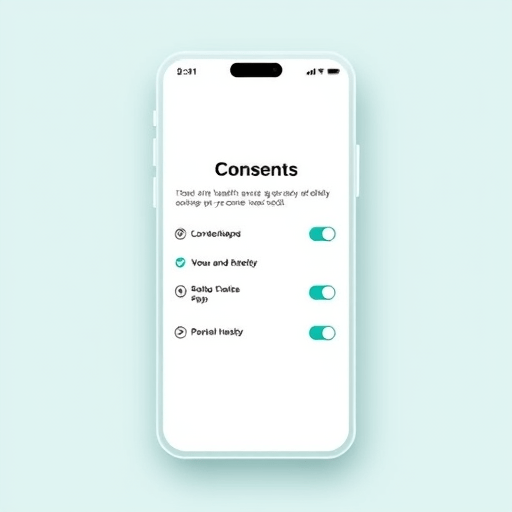
As telemedicine becomes a staple of primary and specialty care, mobile platforms must not only provide intuitive patient journeys but also satisfy the rigorous billing requirements of Medicare Part B. This guide walks through a systematic approach to designing a mobile telehealth experience that aligns every screen, button, and workflow with CMS Part B coding standards, ensuring both patient satisfaction and revenue integrity.
1. Understand the Medicare Part B Landscape for Telehealth
Medicare Part B covers medically necessary outpatient services, including telehealth. CMS has updated its policy to allow more video visits, but each interaction must meet specific criteria: a pre‑visit medical evaluation, a post‑visit evaluation, or a telehealth visit conducted by a qualified provider. The coding taxonomy (CPT codes 99441‑99443, 99444, 99445, 99446, 99447, and 99448) must match the service level, duration, and modality.
2. Map Clinical Workflow to Coding Parameters
2.1 Identify Service Episodes
Break down the patient journey into discrete episodes: initial encounter, follow‑up, chronic disease management, and acute assessment. Each episode dictates a particular CPT code based on visit length and complexity. Create a flowchart that pairs each episode with its eligible codes.
2.2 Document Time Requirements
CMS mandates minimum time thresholds for video visits—15 minutes for codes 99441‑43, 30 minutes for 99444, and 60 minutes for 99445. Design the app to track session timestamps automatically, storing them for audit and claim submission. Use timers that lock in the start and stop times and generate a secure digital log.
3. Build Interface Elements That Enforce Compliance
3.1 Pre‑Visit Validation Screens
Before a patient can begin a video visit, the app must confirm eligibility: provider credentialing, patient enrollment, and prior authorization status. Embed a quick eligibility wizard that prompts the patient to upload necessary documents and verifies them against CMS databases. If any requirement is missing, display a clear message and guide the patient to complete the steps.
3.2 Real‑Time Time‑Tracking Overlay
During the video call, overlay a subtle timer that counts the elapsed minutes. Once the session reaches the required threshold, lock the timer and trigger a “session complete” state that disables the “End Call” button until the provider confirms the visit duration. This visual cue prevents accidental short sessions that could lead to denied claims.
3.3 Post‑Visit Documentation Prompt
After the call, automatically present a structured documentation prompt that aligns with the selected CPT code. Provide a checklist of required elements—history, examination findings, and plan—plus an optional free‑text field. Attach a signature capture for the provider and a patient confirmation checkbox before the visit can be submitted.
4. Integrate with Electronic Health Records (EHR) and Billing Systems
Seamless data flow between the mobile app, EHR, and billing modules is critical. Use HL7 FHIR resources to push encounter data in real time. For each visit, the app should generate a Encounter resource that includes:
- Provider and patient identifiers
- Encounter type (telehealth)
- Start/stop timestamps
- Selected CPT code
- Telehealth modality indicator
When the encounter is submitted, the EHR should automatically create a claim bundle that populates the required CMS claim fields, such as HCPCS, Procedure, and Modifiers. Validate the claim data against CMS checklists before transmission to the Medicare Administrative Contractor (MAC).
5. Implement Robust Quality Assurance and Auditing Features
5.1 Session Replay and Log Storage
Store encrypted video session data and logs for a minimum of one year, as CMS may request a review. Provide a replay feature for audit teams to view sessions without exposing patient identifiers.
5.2 Automated Compliance Checks
Build a compliance engine that runs nightly, scanning all completed encounters for:
- Missing or mismatched CPT codes
- Insufficient session duration
- Unverified provider credentials
- Absent documentation elements
Generate a dashboard for administrators to see compliance rates, trend reports, and alerts for any high‑risk visits.
6. Optimize User Experience Without Sacrificing Compliance
Compliance should feel natural, not cumbersome. Employ micro‑interactions that guide users:
- Progressive disclosure of eligibility steps.
- Inline validation that pops up instantly when a field is incomplete.
- Clear, jargon‑free language for Medicare requirements.
- Responsive design that adapts to smartphones, tablets, and wearables.
By embedding compliance checks as part of the flow, users see them as helpful prompts rather than obstacles.
7. Train Providers and Support Staff
Even the best UI needs people to use it correctly. Create short, role‑specific training modules:
- Providers: How to select the right CPT code, verify session length, and sign off.
- Clinical staff: How to assist patients with pre‑visit eligibility, troubleshoot connectivity, and capture required documentation.
- IT staff: How to monitor logs, reset compliance dashboards, and respond to CMS audit queries.
Offer quarterly refresher webinars and maintain an FAQ library within the app for quick reference.
8. Keep Pace With Regulatory Updates
CMS frequently revises telehealth policies, especially in response to evolving public health needs. Subscribe to the Medicare & Medicaid Services news feed, join relevant professional associations, and set up automated alerts for any new CPT code updates. Incorporate a version‑control system within the app that can roll back or update compliance logic without redeploying the entire platform.
9. Measure Success With Key Performance Indicators (KPIs)
Track metrics that reflect both patient experience and billing integrity:
- Average session duration vs. required threshold.
- Compliance rate per CPT code.
- Claim denial rate.
- Patient satisfaction scores.
- Provider adoption rate.
Use these KPIs to continuously refine the UX and ensure that compliance remains embedded in every interaction.
10. Leverage Artificial Intelligence for Predictive Compliance
Integrate AI-driven chatbots that can pre‑screen patients for eligibility before they enter a video visit. Use natural language processing to flag potentially missing documentation items during the post‑visit prompt. AI can also suggest the most appropriate CPT code based on the encounter summary, reducing provider cognitive load.
Conclusion
Designing a mobile telehealth user experience that satisfies Medicare Part B billing rules is a multifaceted endeavor, requiring meticulous mapping of clinical workflows to CMS coding standards, intuitive interface design, robust integration with EHR and billing systems, and ongoing compliance monitoring. By embedding compliance into the flow, training stakeholders, and leveraging technology such as AI and automated audits, organizations can deliver a seamless patient journey while safeguarding revenue and meeting the highest regulatory standards.