Mapping your first GitHub pull request to a portfolio is a strategic move that can dramatically boost your visibility among recruiters and hiring managers. In today’s fast‑moving tech landscape, a single well‑presented pull request can demonstrate not only coding skill but also collaboration, problem‑solving, and communication—qualities that employers value highly. This guide walks you through the steps of selecting, refining, and showcasing a pull request in a portfolio context, ensuring you present the most compelling evidence of your capabilities.
1. Why Your First Pull Request Matters
Recruiters often skim portfolios and resume sections, searching for tangible proof of technical proficiency. A pull request (PR) is an authentic artifact that reveals:
- **Code quality** – Clean, well‑structured, and maintainable code.
- **Testing** – Comprehensive unit or integration tests.
- **Commit history** – Thoughtful, incremental commits that illustrate development flow.
- **Code review participation** – Responses to feedback and iteration.
- **Project impact** – Real contributions that affect the codebase or community.
Choosing your first PR strategically showcases these traits early on and sets the tone for the rest of your portfolio.
2. Selecting the Ideal Pull Request
Not every PR is worth spotlighting. Look for a PR that meets the following criteria:
- Relevance to Desired Roles: Align the PR with the types of projects or languages the target companies use.
- Significant Impact: Prefer PRs that added new features, fixed critical bugs, or introduced substantial refactors.
- Readable History: A clear, concise commit log demonstrates good workflow discipline.
- Positive Review Feedback: PRs that received constructive comments and were merged after revisions show resilience and a willingness to improve.
- Documentation and Tests: Ensure the PR included updated documentation or tests, highlighting a holistic approach.
Once you’ve identified a PR, download the patch or clone the branch to start crafting your portfolio entry.
3. Preparing the PR Snapshot
Before publishing, transform the raw PR into a digestible format:
3.1. Summarize the Problem and Solution
Write a brief paragraph outlining the issue the PR addressed and how your code resolves it. Use business language where appropriate, linking technical fixes to user or business value.
3.2. Highlight Key Code Sections
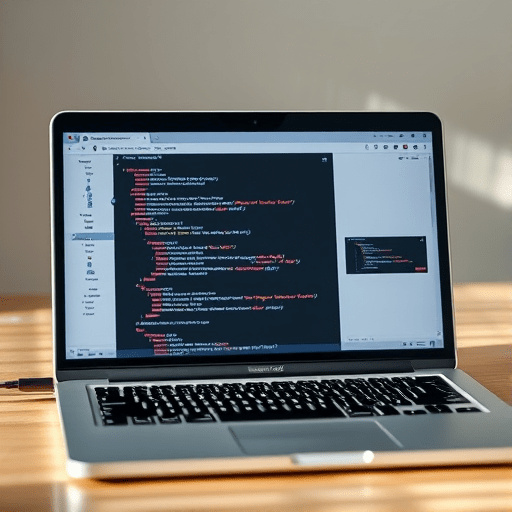
Choose 2–3 code snippets that best illustrate your style—clean syntax, use of design patterns, or clever algorithmic solutions. Use syntax highlighting plugins or embed in a stylized block to make them visually appealing.
3.3. Showcase Tests
Include snippets of unit or integration tests that validate your changes. Explain test coverage and why they were necessary.
3.4. Document the Review Process
Present a short summary of review comments and your responses. Highlight how you incorporated feedback and the learning points that emerged.
4. Crafting the Portfolio Entry
Structure your entry so that a recruiter can quickly understand your contribution. A typical layout might include:
- Project Name & Role: Mention the repository, your role (e.g., contributor, maintainer), and the tech stack.
- Pull Request ID & Link: Provide the PR number and a hyperlink to the live GitHub PR.
- Summary: A concise description of the challenge and impact.
- Key Code: Highlighted snippets with annotations.
- Testing & Quality: Overview of tests and coverage.
- Review Highlights: Summarize feedback and iteration.
- Outcome: Merge status, performance improvements, or user adoption metrics if available.
Keep the tone professional but approachable. Use bullet points and short paragraphs to enhance readability.
5. Showcasing Collaboration and Communication
Recruiters value soft skills as much as technical ability. Emphasize:
- **Discussion Tags:** Mention any relevant tags like
#enhancementor#bugfixthat show categorization. - **Mentions:** Highlight any interactions with project maintainers, especially if they provided mentorship.
- **Issue Linkage:** Include links to the issue the PR closed, demonstrating end-to-end tracking.
These details illustrate your engagement in open‑source workflows and your capacity to navigate complex collaboration environments.
6. Final Touches and Deployment
Once the portfolio page is ready, perform these final checks:
- **Responsive Design:** Ensure code blocks display correctly on mobile and desktop.
- **SEO Optimization:** Use relevant keywords like GitHub pull request portfolio example in meta tags and headings.
- **Accessibility:** Add alt text for code screenshots and use contrast-friendly colors.
- **Cross‑Reference:** Include a link to other related portfolio entries or your GitHub profile.
- **Analytics:** Track page views to gauge recruiter interest.
Deploy the page, test links, and share it discreetly in your application materials.
Conclusion
Mapping your first GitHub pull request to a portfolio is a powerful way to showcase concrete evidence of your coding chops, collaborative spirit, and problem‑solving prowess. By carefully selecting the PR, presenting it with clarity, and highlighting both technical and soft‑skill aspects, you create a compelling narrative that resonates with recruiters and sets you apart in the competitive tech job market.