Deploying new versions of a microservice on Amazon EKS without any service interruption is a common challenge for high‑availability teams. This article walks through a practical, zero‑downtime blue‑green deployment strategy that leverages GitHub Actions and GitLab CI to automate every step—from building the image to switching traffic and rolling back if something goes wrong. By the end of this guide you’ll have a reproducible pipeline that guarantees continuous service while keeping the risk of a failed release to a minimum.
1. Architecture Overview
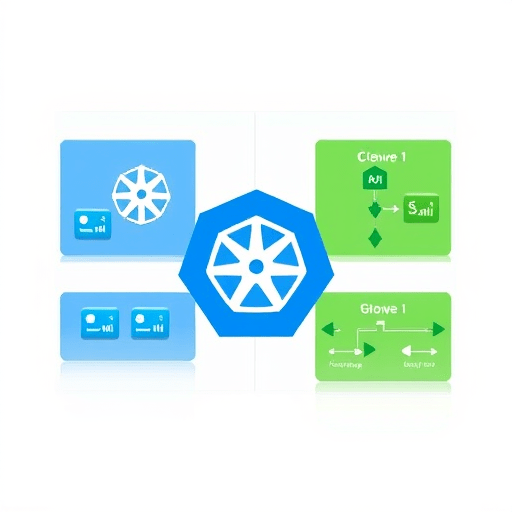
The core of a blue‑green deployment on EKS is two nearly identical Kubernetes environments—blue for the current stable release and green for the incoming candidate. Traffic is routed to the active environment via an Ingress controller or a service mesh such as Istio or AWS App Mesh. Once the green cluster passes all validation checks, the load balancer or service mesh is re‑configured to direct user traffic to green, after which the blue environment can be retired or retained for a hot backup.
2. Prerequisites
- A production EKS cluster with at least one node group.
- IAM roles that allow the CI/CD runners to create and delete Kubernetes resources.
- Docker registry (ECR, GitHub Packages, or a private registry) accessible from the cluster.
- Helm 3 and kubectl installed on the CI runners.
- Optional: Istio or AWS App Mesh installed for fine‑grained traffic control.
3. Preparing the Application Manifest
Use Helm charts to parameterize the deployment. Separate values files for blue and green environments help avoid accidental cross‑talk. For example:
values-blue.yaml   values-green.yaml
replicaCount: 5   replicaCount: 5
serviceName: myapp-blue   serviceName: myapp-green
image.tag: "v1.2.3"   image.tag: "v1.2.4"
In the Chart.yaml, include a selector that matches the deployment label app.kubernetes.io/version: "{{ .Chart.AppVersion }}" to enable version‑specific traffic routing.
4. GitHub Actions Workflow
The GitHub Actions pipeline is split into three jobs: build, deploy-blue, and switch-to-green. The build job pushes a new image to ECR, tags it with v1.2.4, and stores the image URI in an output variable for downstream jobs.
jobs:
  build:
    runs-on: ubuntu-latest
    steps:
      - uses: actions/checkout@v3
      - name: Build Docker image
        run: |
          docker build -t ${{ env.ECR_REPO }}:v1.2.4 .
          docker push ${{ env.ECR_REPO }}:v1.2.4
        env:
          ECR_REPO: ${{ secrets.ECR_REPO }}
  deploy-blue:
    needs: build
    runs-on: ubuntu-latest
    steps:
      - uses: actions/checkout@v3
      - name: Install Helm
        run: curl https://raw.githubusercontent.com/helm/helm/main/scripts/get-helm-3 | bash
      - name: Deploy to blue
        run: |
          helm upgrade --install myapp-blue ./charts/myapp \
            --namespace prod \
            --values values-blue.yaml \
            --set image.tag=v1.2.4 \
            --set serviceName=myapp-blue
  switch-to-green:
    needs: deploy-blue
    runs-on: ubuntu-latest
    steps:
      - uses: actions/checkout@v3
      - name: Deploy to green
        run: |
          helm upgrade --install myapp-green ./charts/myapp \
            --namespace prod \
            --values values-green.yaml \
            --set image.tag=v1.2.4 \
            --set serviceName=myapp-green
      - name: Validate green
        run: ./scripts/validate_green.sh
      - name: Switch traffic
        run: |
          kubectl patch svc myapp-green -n prod \
            -p '{"spec": {"selector": {"app.kubernetes.io/version": "v1.2.4"}}}'
      - name: Cleanup blue
        if: success()
        run: helm uninstall myapp-blue --namespace prod
Notice the validate_green.sh script. It performs health checks, integration tests, and even a simulated user load to confirm the green environment is ready.
5. GitLab CI Pipeline
For teams using GitLab CI, the same logic can be expressed in a .gitlab-ci.yml file. The stages section defines build, deploy_blue, deploy_green, validate, and rollback. The rules property ensures the pipeline runs only on the master branch or a protected release branch.
stages:
  - build
  - deploy_blue
  - deploy_green
  - validate
  - rollback

build:
  stage: build
  script:
    - docker build -t $CI_REGISTRY_IMAGE:$CI_COMMIT_SHA .
    - docker push $CI_REGISTRY_IMAGE:$CI_COMMIT_SHA
  tags:
    - docker

deploy_blue:
  stage: deploy_blue
  script:
    - helm upgrade --install myapp-blue ./charts/myapp \
        --namespace prod \
        --values values-blue.yaml \
        --set image.tag=$CI_COMMIT_SHA \
        --set serviceName=myapp-blue
  tags:
    - kube

deploy_green:
  stage: deploy_green
  script:
    - helm upgrade --install myapp-green ./charts/myapp \
        --namespace prod \
        --values values-green.yaml \
        --set image.tag=$CI_COMMIT_SHA \
        --set serviceName=myapp-green
  tags:
    - kube

validate:
  stage: validate
  script:
    - ./scripts/validate_green.sh
  when: on_success

rollback:
  stage: rollback
  script:
    - helm uninstall myapp-green --namespace prod
    - kubectl patch svc myapp-blue -n prod \
        -p '{"spec": {"selector": {"app.kubernetes.io/version": "v1.2.3"}}}'
  when: on_failure
  tags:
    - kube
The rollback job guarantees that if validation fails, traffic is automatically redirected back to the blue environment and the green release is cleaned up.
6. Traffic Routing and Canary Tests
In production, you rarely want to shift 100% of traffic instantly. A typical approach is to use a traffic split of 90/10 or 95/5 between blue and green. Istio’s VirtualService or AWS App Mesh’s VirtualRouter make this trivial:
apiVersion: networking.istio.io/v1alpha3
kind: VirtualService
metadata:
  name: myapp
spec:
  hosts:
    - myapp.example.com
  http:
    - route:
        - destination:
            host: myapp-blue
          weight: 95
        - destination:
            host: myapp-green
          weight: 5
Adjust the weights in deploy_green after successful canary verification.
7. Automated Rollback Strategy
Rollback is baked into the pipeline. If any job in the validate stage fails, GitLab automatically triggers the rollback stage. In GitHub Actions, you can use the if: failure() conditional in the switch-to-green job to un‑patch the service and uninstall green. Keep the blue deployment intact so that you can immediately resume service with minimal effort.
8. Monitoring and Observability
Instrument the application with Prometheus and Grafana. Expose metrics on a separate port and collect them with Prometheus. Configure alerts for latency, error rate, and resource usage. The CI pipeline should automatically push these metrics to a central dashboard, so that the engineering team can spot regressions early.
9. Security Considerations
- Use IAM OIDC to grant CI runners only the permissions they need.
- Scan the Docker image with Snyk or Trivy before pushing to ECR.
- Rotate ECR registry credentials regularly.
- Apply Network Policies to restrict traffic between blue and green namespaces.
10. Scaling the Blueprint
Once the blue‑green pattern is in place for a single service, replicate the pattern across multiple microservices by creating a shared Helm repo and CI/CD library. For multi‑region deployments, extend the traffic split logic to include geographic routing rules in Istio or use AWS Global Accelerator.
Conclusion
Zero‑downtime blue‑green deployments on EKS, powered by GitHub Actions or GitLab CI, are achievable without a complex toolchain. By using Helm for declarative manifests, a service mesh for granular traffic control, and automated rollback steps in the CI pipeline, teams can deliver updates reliably while keeping users unaffected. The resulting workflow scales across services, regions, and teams, turning deployments from a risk into a repeatable, auditable process.