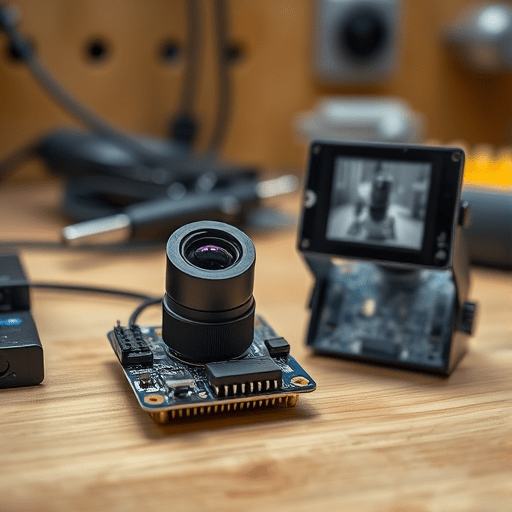
In 2026, Practical Edge TinyML Anomaly Detection on $10 IoT Devices has moved from a research curiosity to a realistic engineering workflow. You can train a model and deploy it on an ESP32-CAM without cloud latency, using the camera’s own normal image stream as the only training data. The inference loop runs entirely on the microcontroller, which means a decision about whether a frame looks abnormal arrives in milliseconds rather than after an upload, a server queue, and a network response. This is not a toy demo; it is a sensible architecture for machine monitoring, access control, and low-cost environmental surveillance where privacy and speed matter.
Why Edge Anomaly Detection Changes the Latency Equation
The most obvious benefit of edge anomaly detection is that the camera does not need to ask for permission. A cloud-based system must compress, upload, and frame the data before a remote model can judge it. That adds high latency, unpredictable jitter, and recurring bandwidth costs. On an ESP32-CAM, the same model sits next to the sensor, so the time between image capture and an anomaly decision is dominated only by inference speed and a small amount of preprocessing. In a factory setting, a 300 ms cloud round-trip might miss a fast-moving fault; a local inference loop at 100 ms to 150 ms can at least keep pace with a physical process. The edge is not a fallback to cloud AI. It is simply the fastest place to make a decision.
What the ESP32-CAM Can Actually Handle
Before selecting a model, it helps to be honest about the hardware. The ESP32-CAM uses a dual-core Xtensa LX6 CPU at 240 MHz, includes 520 KB of SRAM, and uses an OV2640 camera sensor. Once the camera driver, frame buffer, and TFLite Micro runtime are active, the free memory is often below 300 KB. That is small, but it is enough for a purpose-built anomaly detector if you are willing to accept grayscale input, a low resolution, and an integer quantized model.
The ESP32-CAM also has a MicroSD slot, which is useful for logging anomaly events locally. This storage is a hidden advantage: edge anomaly detection can write the frame that caused an alert to an SD card, then send only a short metadata message over Wi-Fi if needed. No cloud latency is required to trigger the event, and no sensitive baseline images leave the device.
Selecting a Model Architecture That Fits 520KB of SRAM
Large vision transformers are not options here. The practical edge anomaly detection model for an ESP32-CAM is a lightweight convolutional autoencoder. It learns to reconstruct the normal frames it has seen during training. When a new frame arrives, the reconstruction error is small if the scene is normal and large if something is unusual, such as a fallen object, a new person, or a broken component.
A workable architecture for the ESP32-CAM includes:
- An input of 96 x 96 grayscale pixels, normalized to values from 0 to 1.
- Two depthwise separable convolution layers with 8 and 16 filters as the encoder.
- A hidden bottleneck of 32 fully connected activations to compress the frame.
- Transposed convolution layers in the decoder to reconstruct the same 96 x 96 shape.
This architecture can have fewer than 50,000 parameters. After int8 quantization, the model file often drops below 200 KB, leaving enough room in SRAM for the interpreter, tensors, and the camera frame buffer. At this size, the ESP32-CAM can evaluate a frame in roughly 100 to 200 milliseconds depending on clock speed and whether CMSIS-NN optimizations are enabled. That is enough for a 2 to 5 FPS anomaly detection loop, which is useful for many industrial and environmental scenarios.
Training on Normal Frames: The Data Side of TinyML
Anomaly detection training is different from classification training. You usually do not have a rich dataset of failures; you have a camera that sees a normal scene most of the time. The training pipeline starts by collecting a few minutes of representative normal footage from the exact camera position that will be used at deployment. If the camera will watch a workbench, record the workbench with people walking by, lights switching, and small moving tools. The more normal variation you include during training, the fewer false alarms you will tune later.
The data preparation steps are straightforward:
- Capture still frames at one frame per second for ten minutes or more.
- Resize each frame to 96 x 96 grayscale and remove color information.
- Normalize pixel values to the range 0 to 1.
- Split the frames into training, validation, and threshold calibration sets.
Train the autoencoder on the training set with mean squared error loss. The model learns to compress and rebuild the most consistent structures and lighting patterns. After training, calculate the reconstruction error on the validation set to identify a baseline threshold. A good threshold is the 95th or 97th percentile of the reconstruction errors from normal frames. During deployment, any frame whose reconstruction error exceeds that threshold is considered anomalous.
Quantization: From Keras Model to TFLite Micro
Once the Keras model is trained, the next step is to convert it to a format the ESP32-CAM can execute. TensorFlow Lite Micro runs integer models more efficiently than floating point models, and integer quantization greatly reduces memory and latency. The conversion process uses a representative dataset of perhaps 20 normal frames to calibrate the dynamic range of each tensor. Post-training integer quantization is usually enough for this small autoencoder; if reconstruction accuracy degrades too much, you can switch to quantization-aware training.
After conversion, the model.tflite file is embedded directly into the firmware as a C byte array. The TensorFlow Lite Micro interpreter is then linked into the ESP32-CAM project, along with a camera driver and a small preprocessing function. One practical note is to set the tensor arena size carefully. Your entire model’s intermediate activations need to fit in that buffer. Start with 128 KB of arena and inspect the allocation logs to find the true requirement. Shrinking the arena is as important as shrinking the model itself.
Deploying the Inference Loop on the ESP32-CAM
Deployment is more than copying a model into flash. The inference loop must be integrated with the camera driver and the event handling logic. The typical flow on the ESP32-CAM looks like this:
- Initialize the camera and set the resolution to VGA or QQVGA.
- Fetch a frame with
esp_camera_fb_get(). - Convert the RGB data to grayscale and downscale it to 96 x 96 pixels.
- Copy the values into the model’s input tensor.
- Run
interpreter.Invoke()and compare the output tensor with the input tensor. - Compute the mean squared error as the anomaly score.
- If the score is above the threshold, trigger an action or save a picture to an SD card.
- Release the frame buffer with
esp_camera_fb_return().
This loop runs entirely on the device. The only time the ESP32-CAM might open a network connection is after a detection event, and that connection is not part of the detection decision. Because the model is small, the loop can be executed in the main task without blocking Wi-Fi callbacks. For higher frame rates, move preprocessing to the non-PSRAM core and keep the model invocation on the same core that allocated the tensor arena. This reduces cache misses and keeps memory access more predictable.
Tuning Anomaly Thresholds and Avoiding False Alarms
Edge deployments tend to fail not because the model is too weak, but because the threshold is static. A threshold that works at noon will often trigger false alarms at night or when a dusty window changes the lighting. A practical edge anomaly detector needs a small amount of threshold intelligence.
Instead of a single constant threshold, compute an adaptive threshold using a rolling estimate of recent normal reconstruction error. The model stores the last several hundred error values and uses a robust statistic such as the median absolute deviation to detect a sudden increase. This makes the system more sensitive to true anomalies while ignoring gradual changes in illumination. Add a temporal hysteresis rule as well: a single high-error frame should not trigger an alarm unless it is confirmed by the next frame or occurs on multiple frames in a short window. This reduces the effect of camera noise and sudden autofocus adjustments.
Finally, remember that anomaly detection is a monitoring tool, not a classifier. The goal is not to identify the kind of anomaly; it is to flag that something changed. Once the ESP32-CAM flags an event, it can store a few frames locally or send a short notification. The edge decision is fast, private, and independent of cloud infrastructure. That is exactly what practical edge TinyML on a low-cost IoT device should feel like.
Practical Edge TinyML Anomaly Detection on $10 IoT Devices is not about squeezing a general-purpose vision model into a camera. It is about matching the model to the scene, the data to the problem, and the threshold to the environment. With an ESP32-CAM, a small convolutional autoencoder, and an integer-only TFLite Micro runtime, you can detect deviations in a frame stream with no cloud round-trip. The edge is not a weaker version of cloud AI; it is a faster, more private way to ask one specific question: is this what normal looks like?